
September 10, 2021 / Nirav Shah
If you have a large number of users of the S3 bucket, You want to monitor specific events or all events that occur in the bucket. That you can monitor via Email or SMS notification.
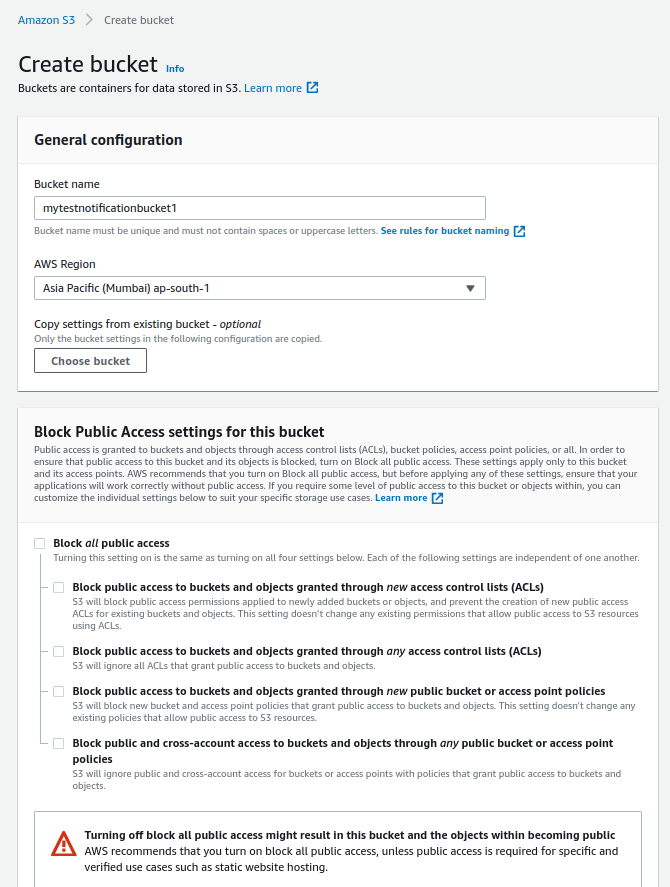
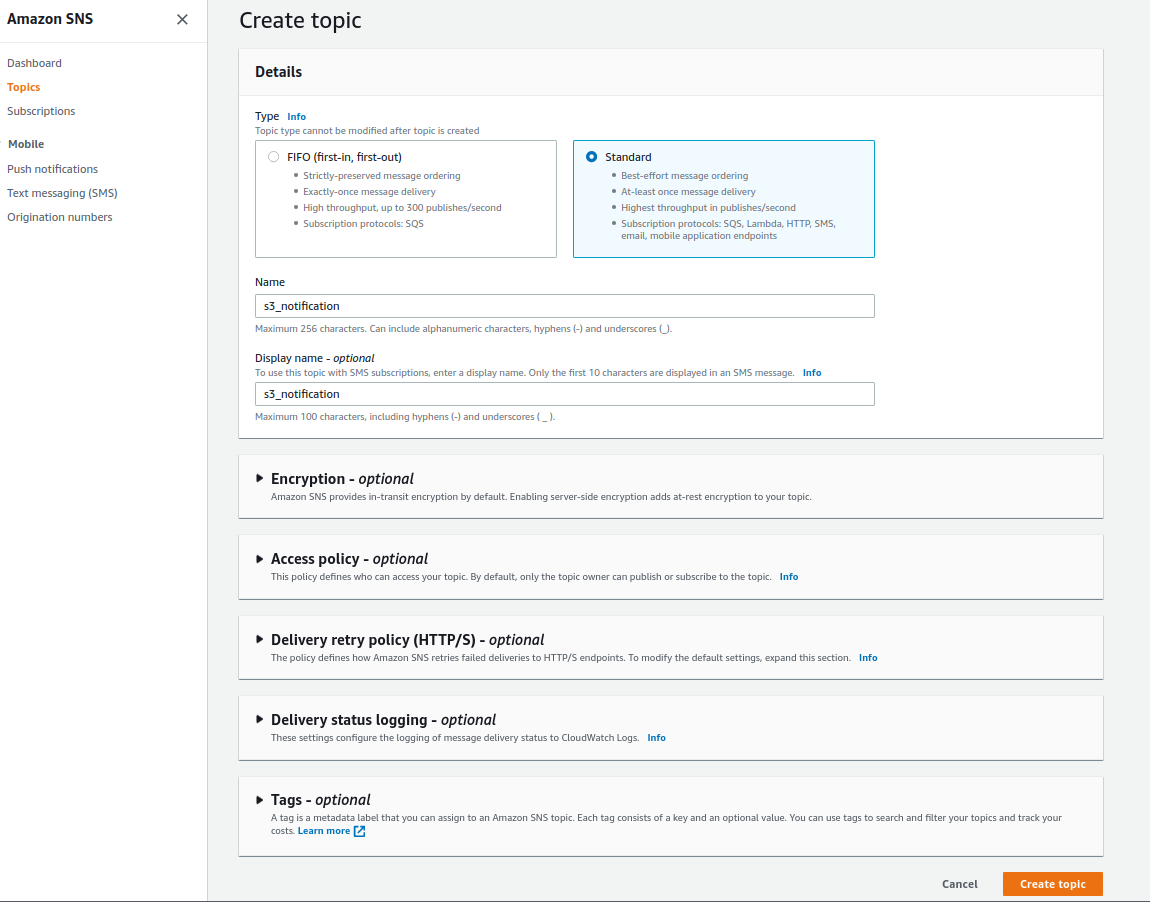
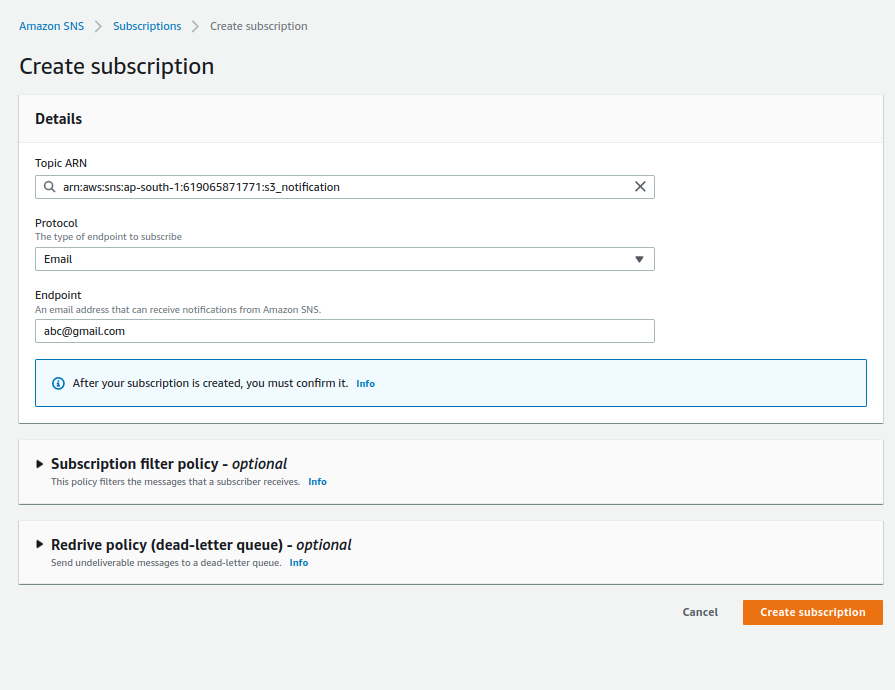
{
  "Version": "2008-10-17",
  "Id": "__default_policy_ID",
  "Statement": [
    {
      "Effect": "Allow",
      "Principal": {
        "AWS": "*"
      },
      "Action": "SNS:Publish",
      "Resource": "your sns topic arn",
      "Condition": {
        "StringEquals": {
          "aws:SourceArn": "your s3 bucket arn"
        }
      }
    }
  ]
}
Note
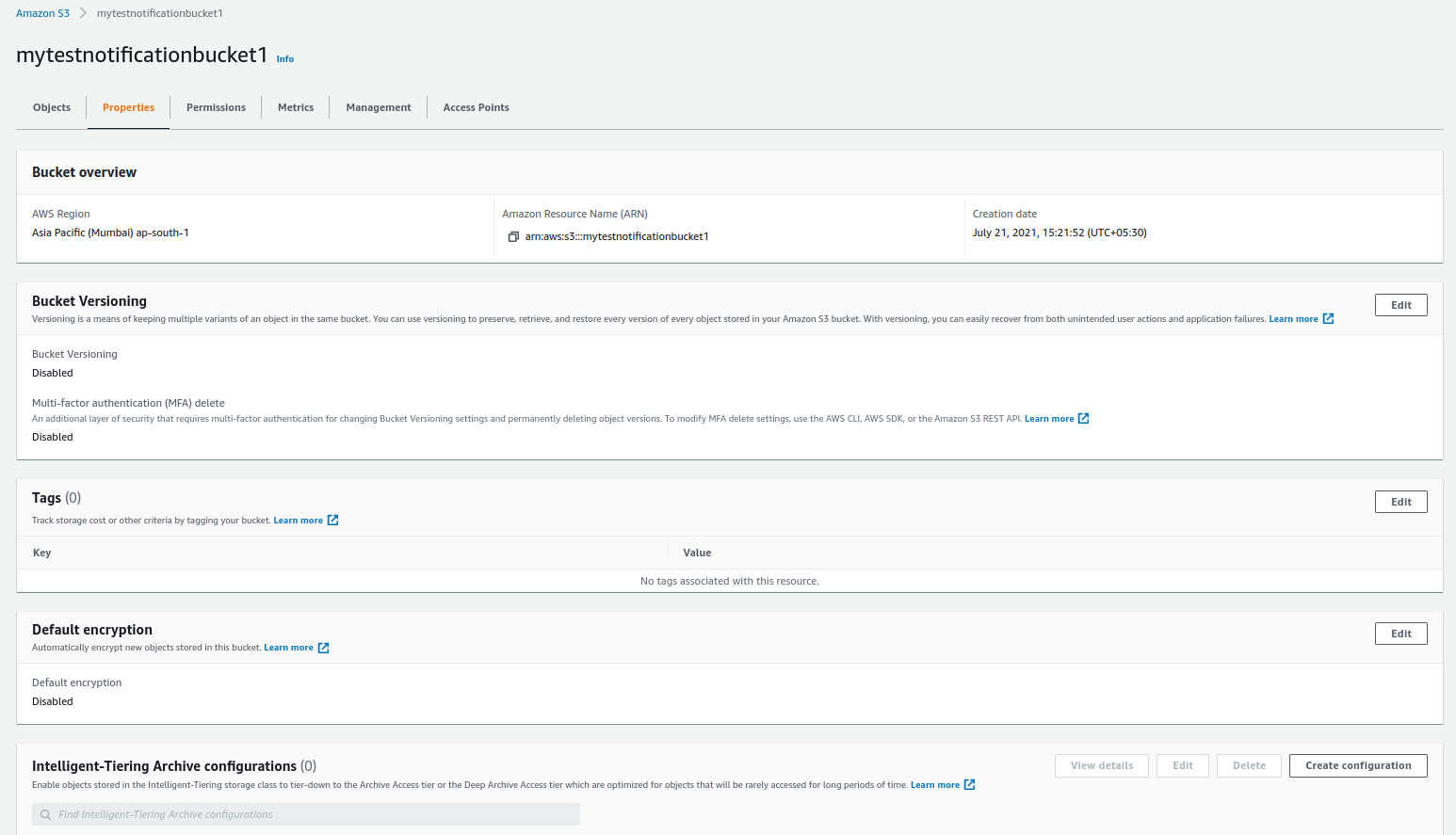
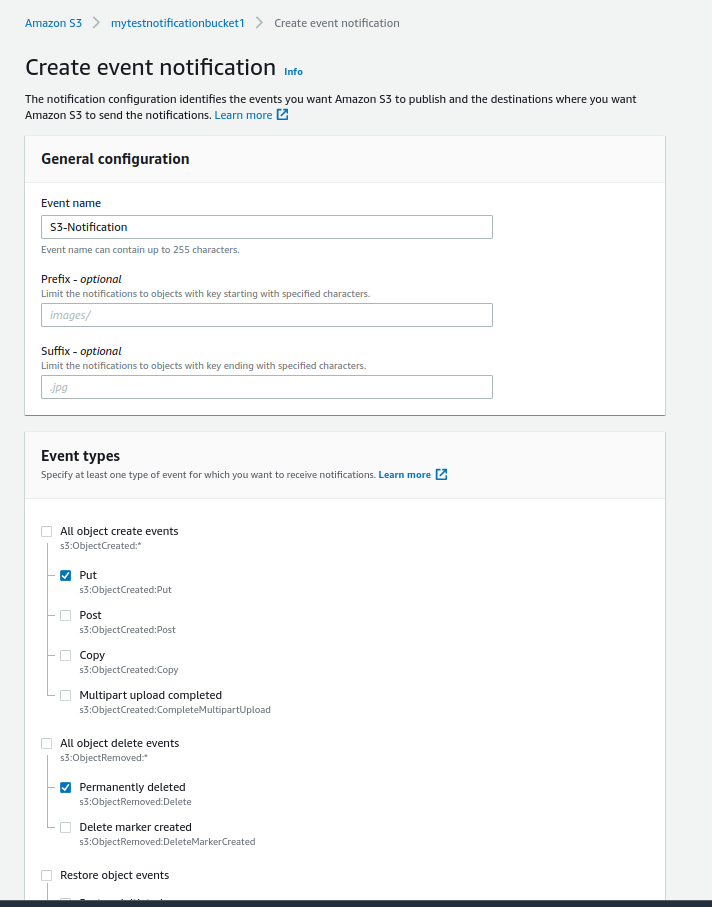
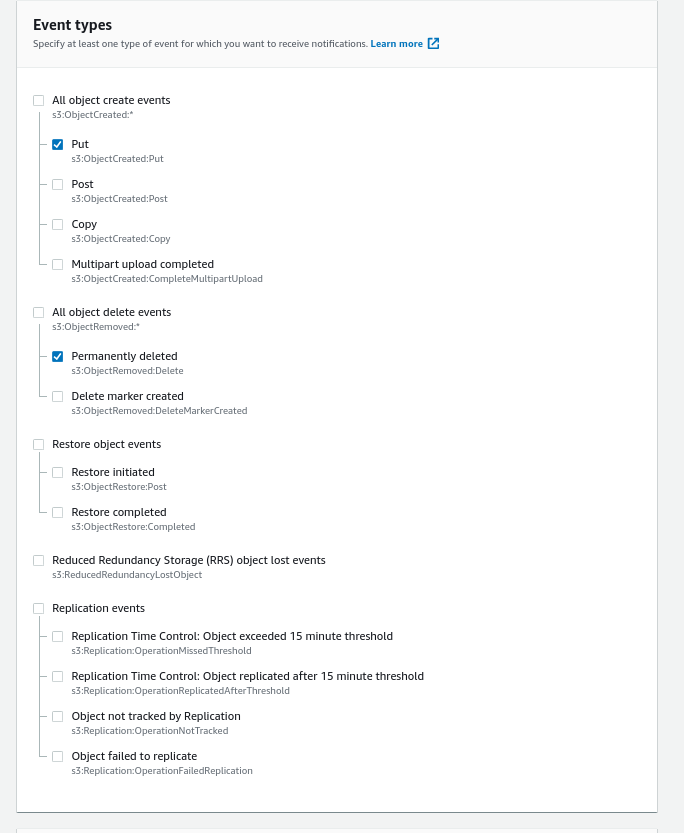
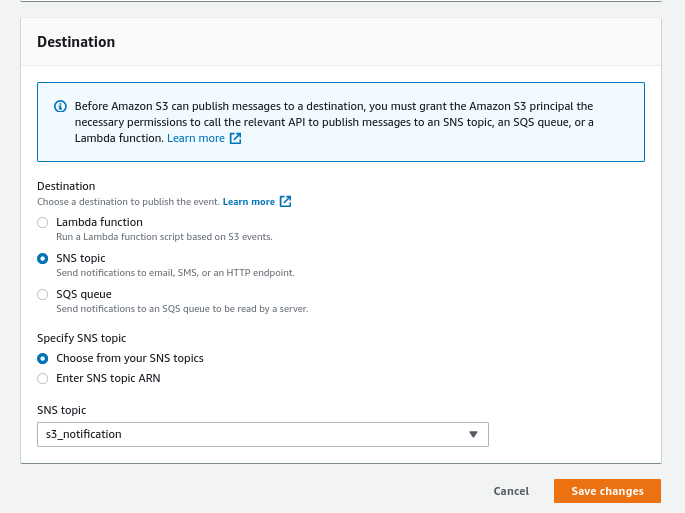
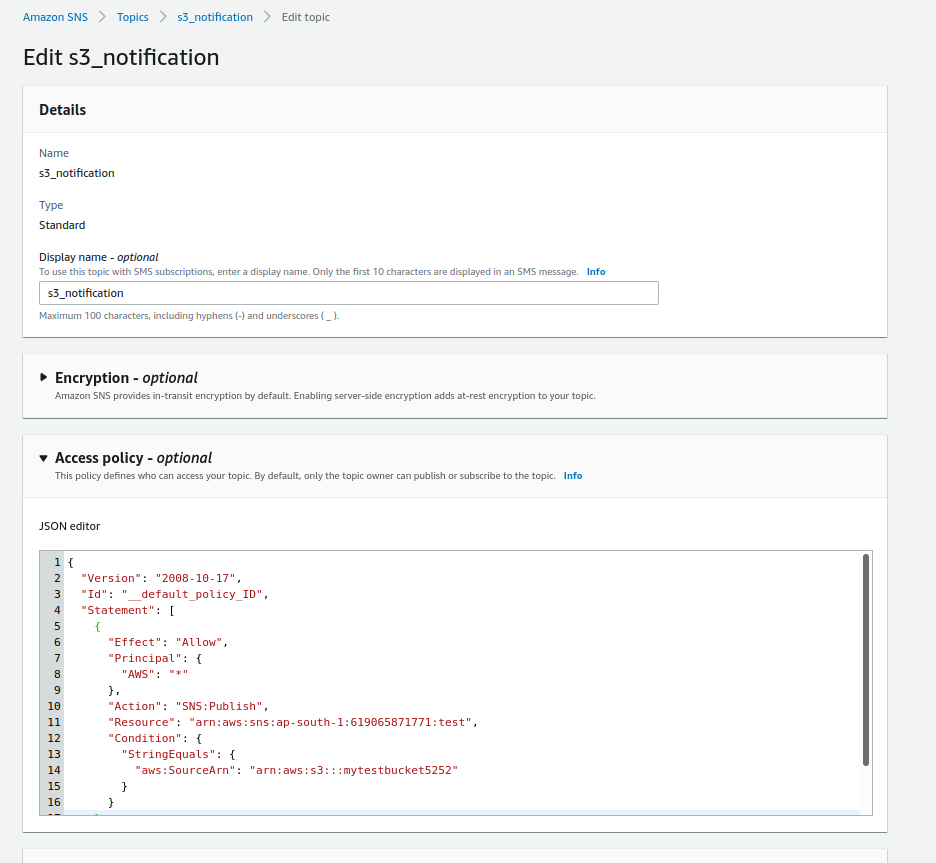
And Save Changes.
Now try to upload an object in the s3 bucket, After uploading successfully you will get an email notification.
Now try to delete the object in the s3 bucket, you will get an email notification.
This way, You can also get notifications for all events in the S3 bucket.

Nirav Shah is the Director of Eternal Web Pvt Ltd, an AWS Advanced Consulting Partner and certified Odoo Partner based in the UK. With over a decade of experience in cloud computing, digital transformation, and ERP implementation, Nirav helps enterprises adopt the right technology to solve complex business challenges. He specialises in AWS infrastructure, Odoo ERP, and web development solutions for businesses across the UK and beyond.
Have queries about your project idea or concept? Please drop in your project details to discuss with our AWS Global Cloud Infrastructure service specialists and consultants.