March 3, 2021 / Nirav Shah
Jenkins with Gitlab is used to create CI/CD pipelines. So that we can automate the build and deployment process using Jenkins jobs.
Don’t know about Jenkins? Go through this article to know how you can install java and Jenkins on AWS.
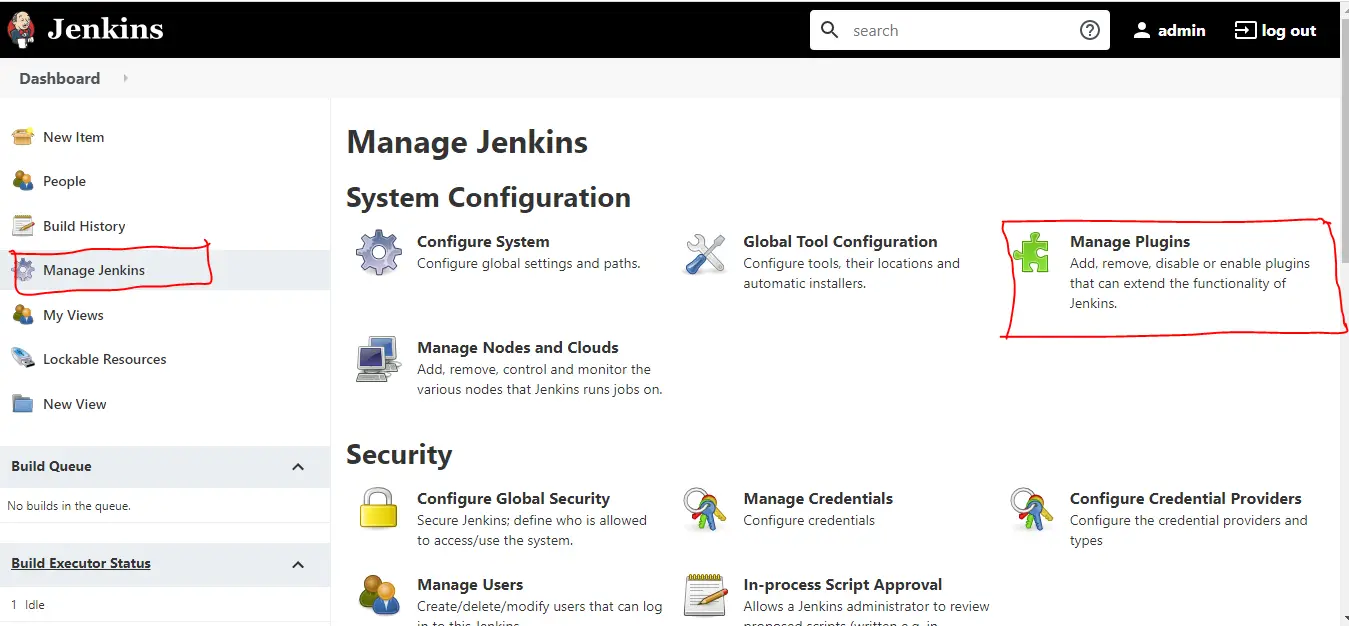
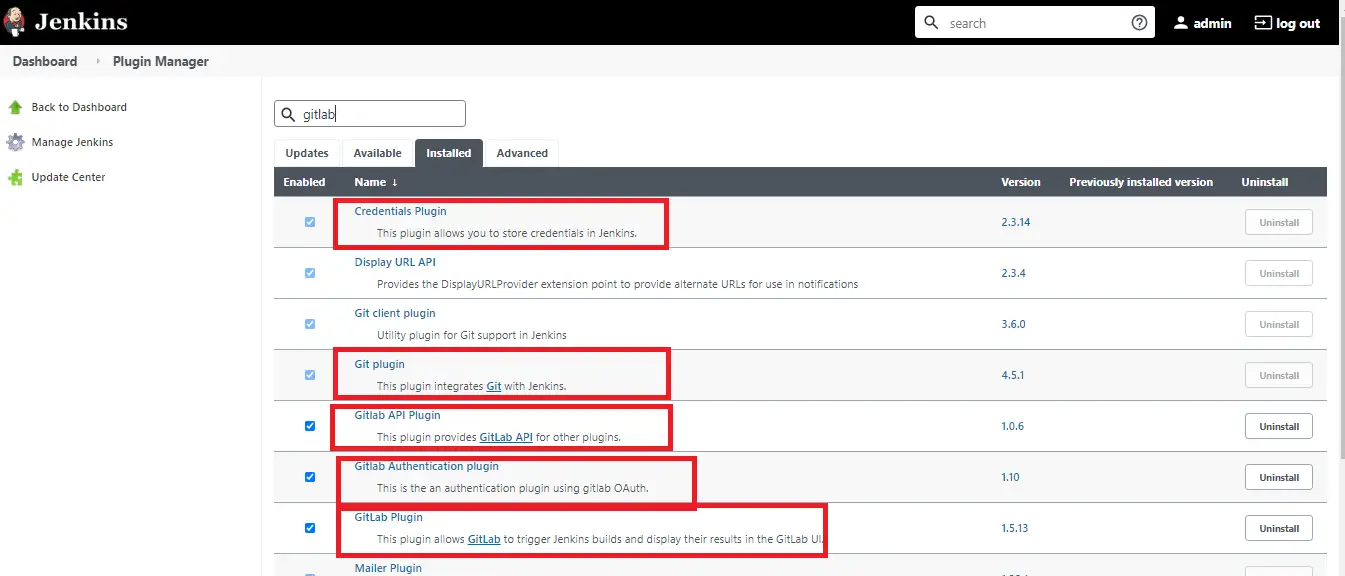
Step 1: Login to Jenkins Account and install the required plugin.
Step 2: Now create an access token for the integration of Jenkins to GitLab and save the token at any safe place.
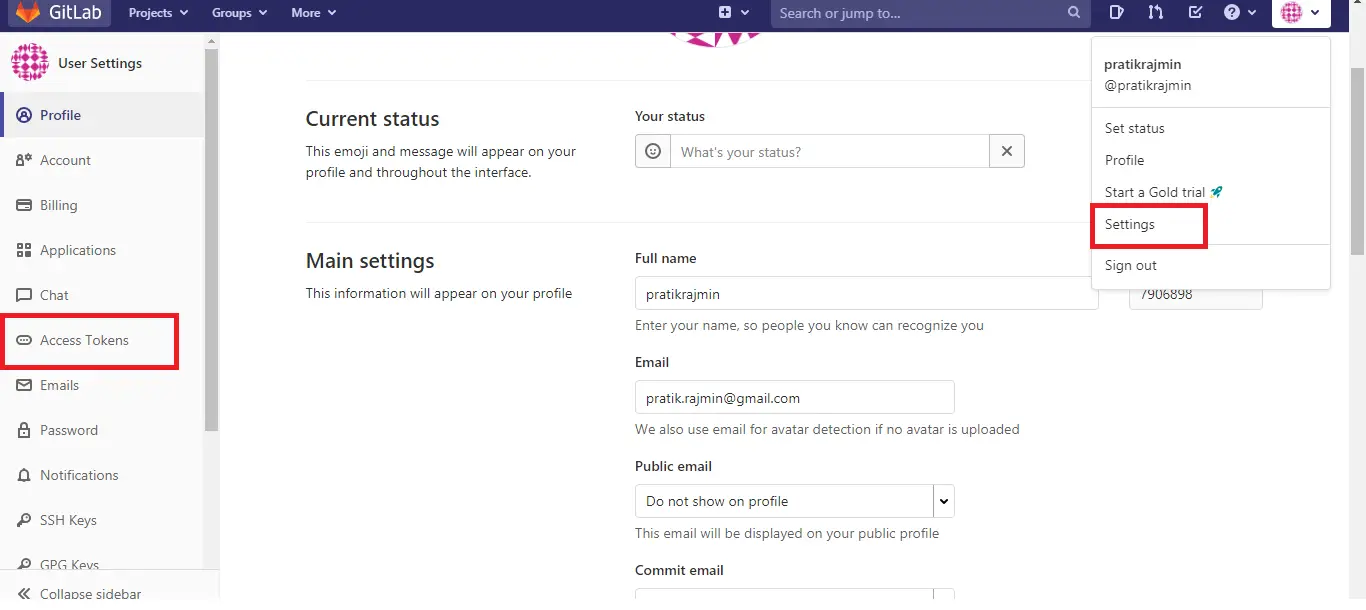
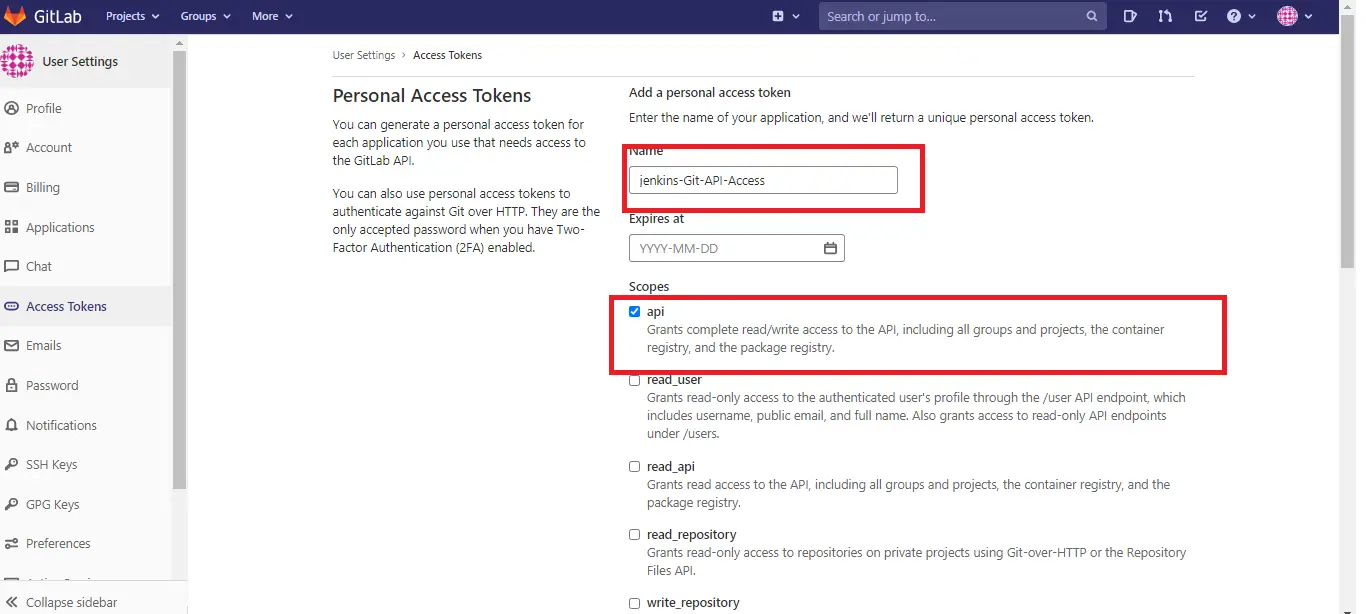
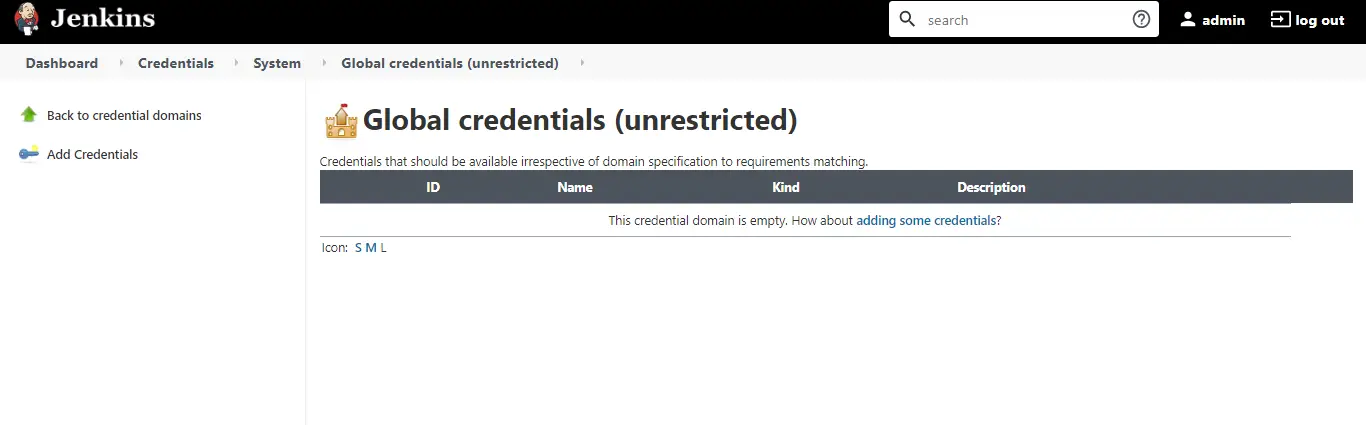
Step 3: Now On jenkins open Manage jenkins -> Manage credentials -> Add credentials
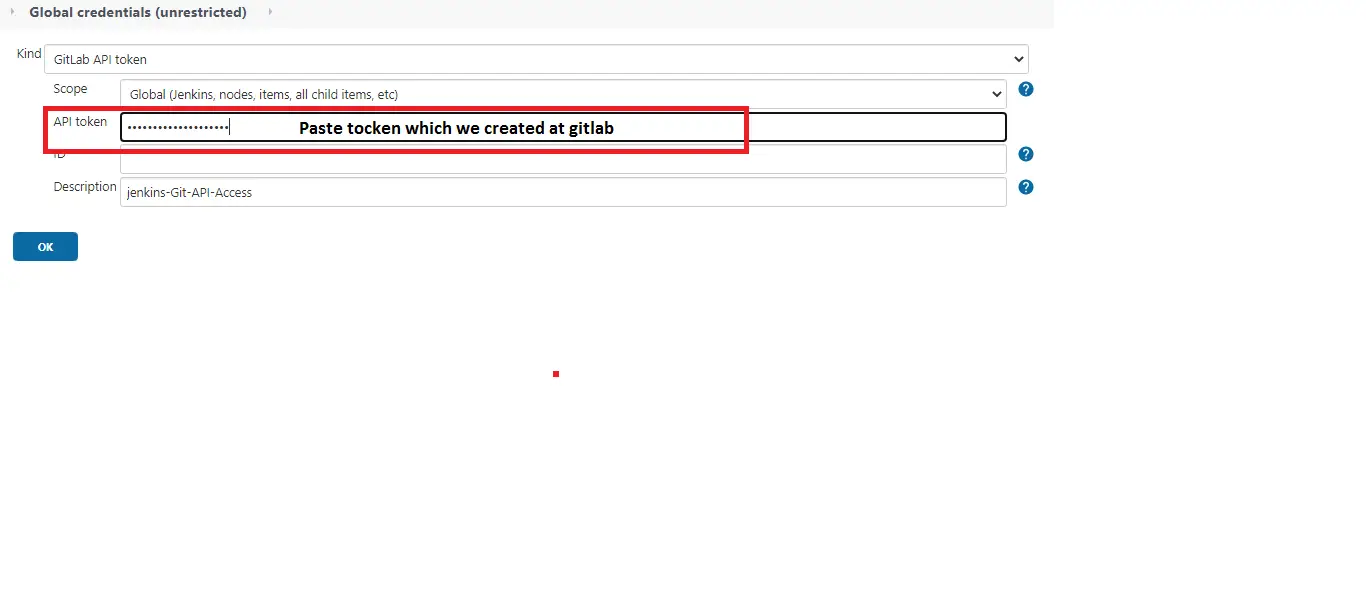
Select Gitlab API token
Step 4: Create Jenkins credentials and add Gitlab token
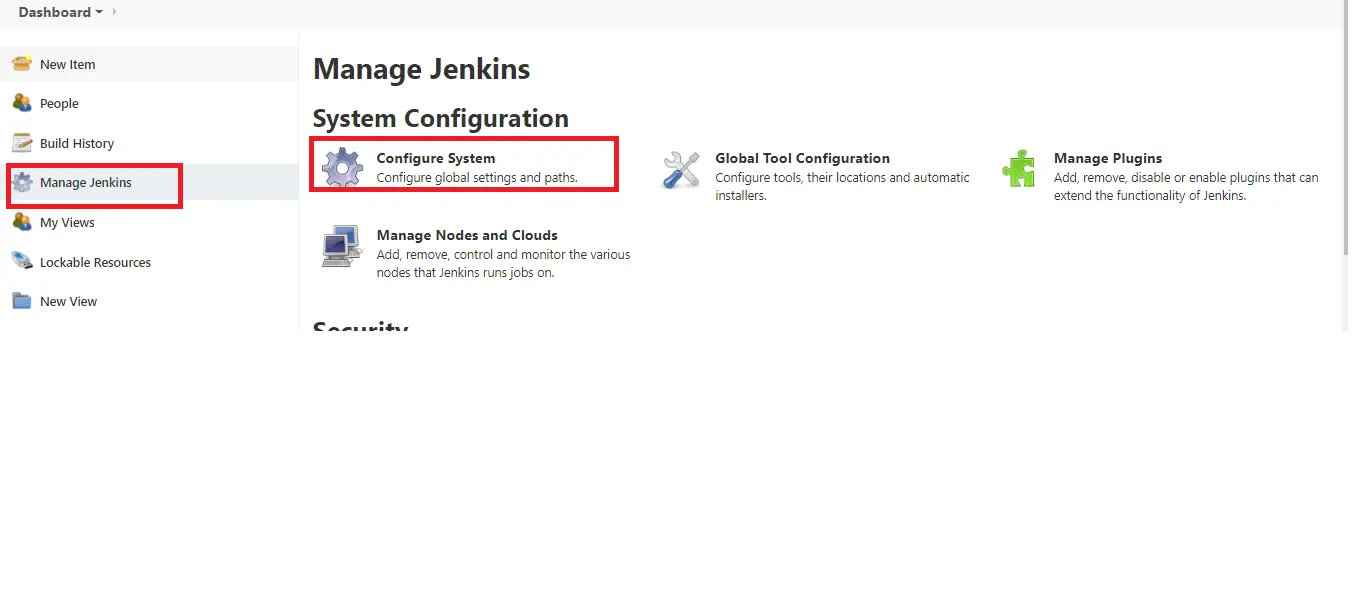
Step 5: Go to Manage Jenkins -> Configure system
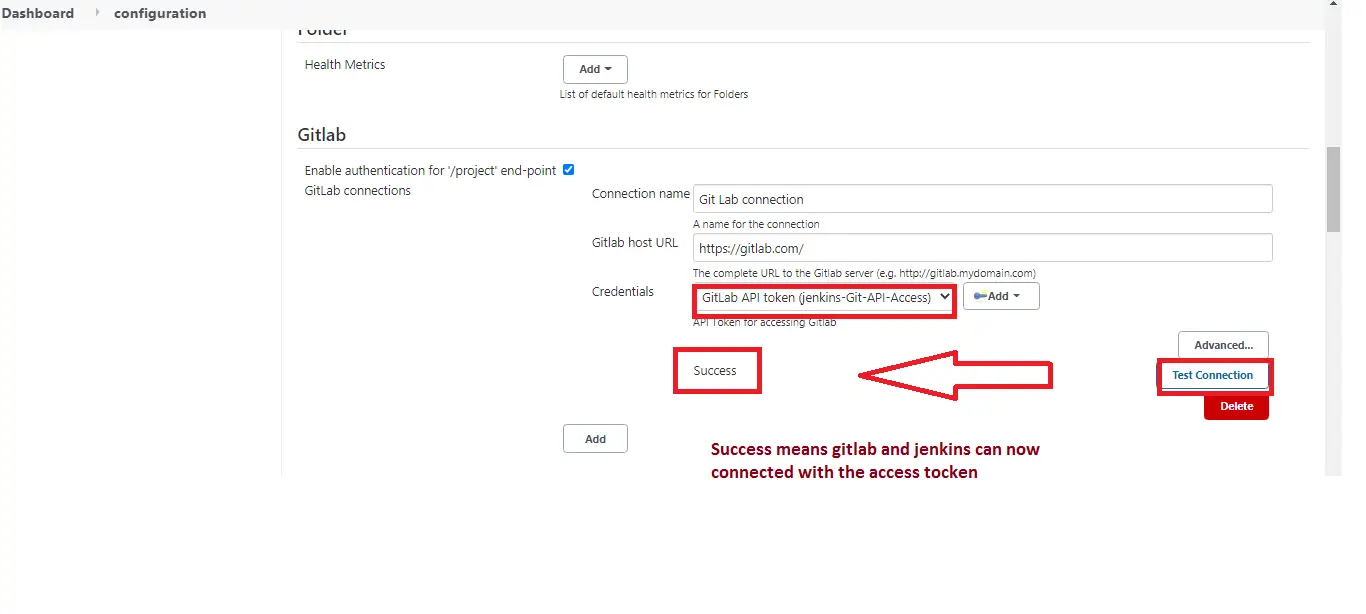
Step 6: Now add Gitlab configuration information.
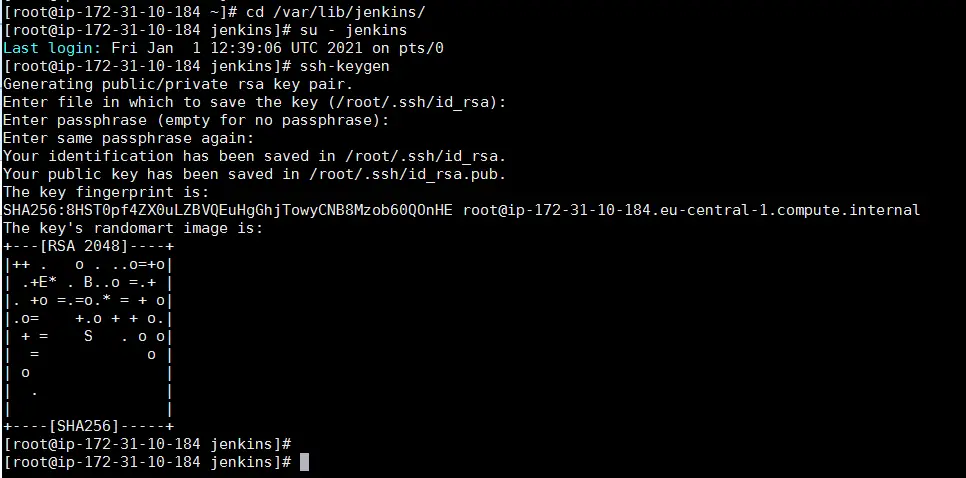
Step 7: Create Public and private key form the system using
‘ssh-keygen’
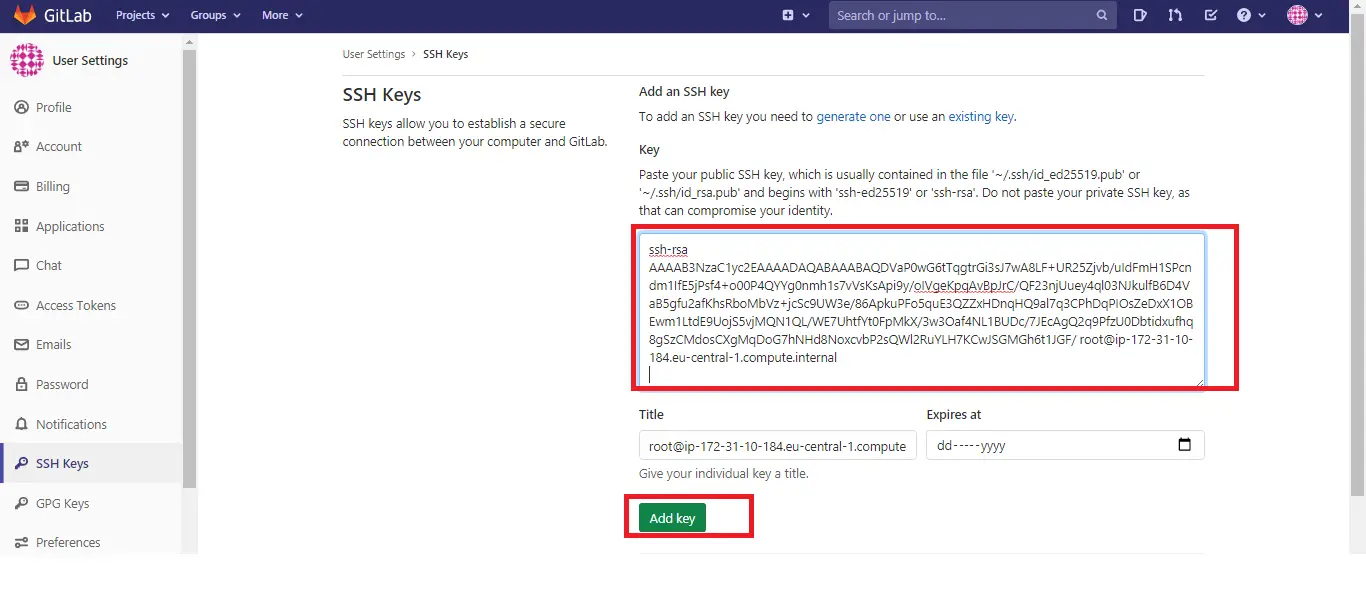
Step 8: Create an SSH key in Gitlab account
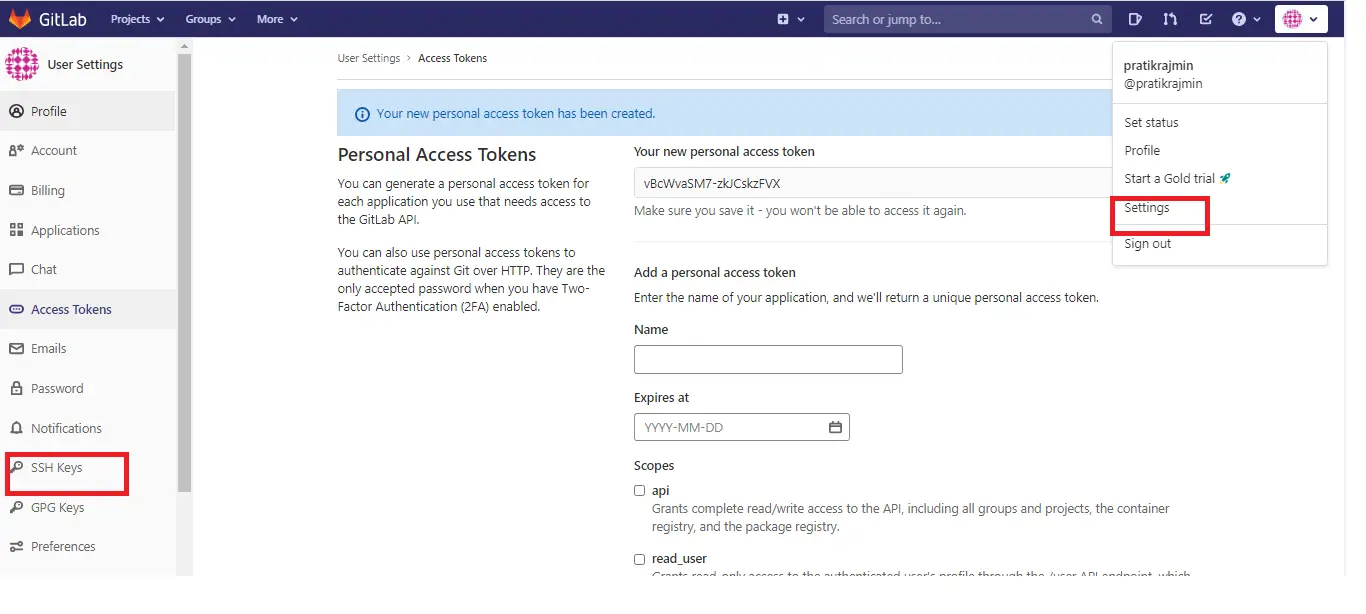
Step 9: Now add ‘id_rsa.pub’ key to Gitlab account
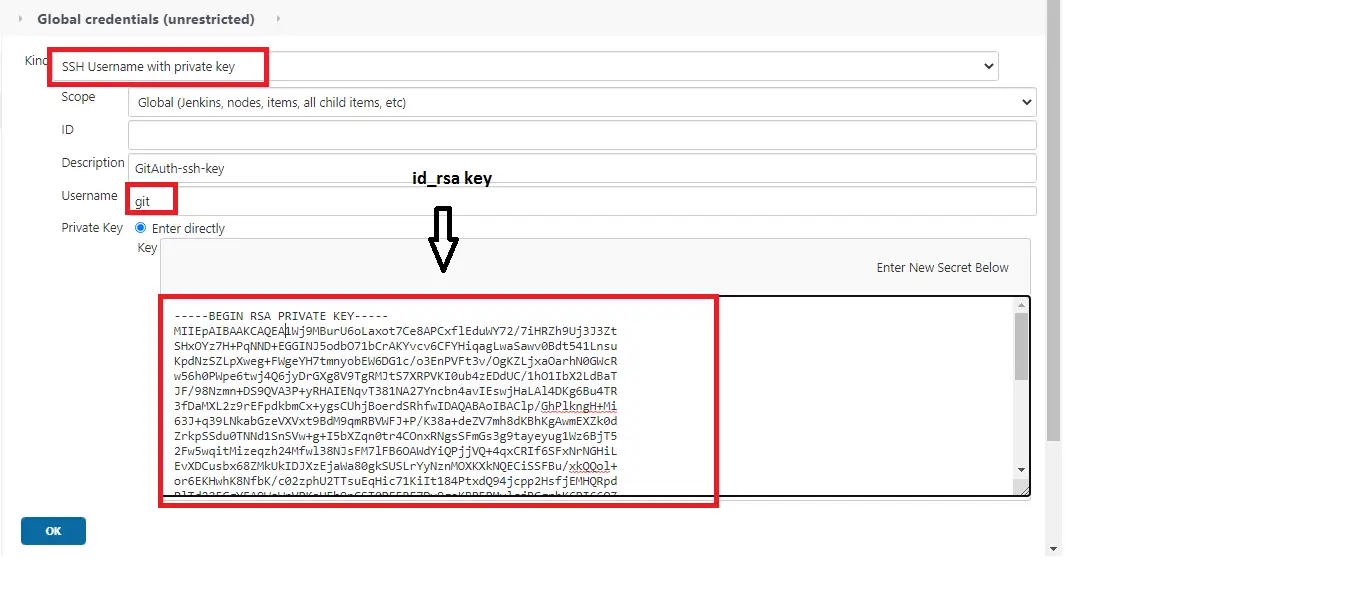
Step 10: Now Create Credentials and ‘id_rsa’ private key to Jenkins
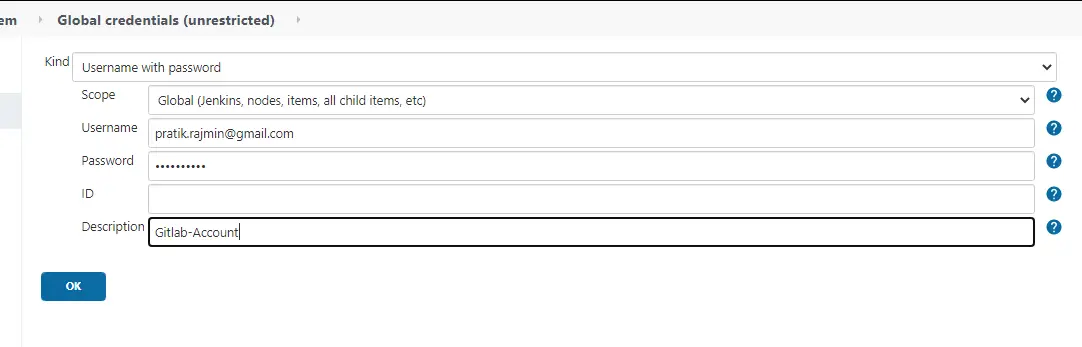
Step 11: Add your Gitlab credentials in Jenkins for future use.
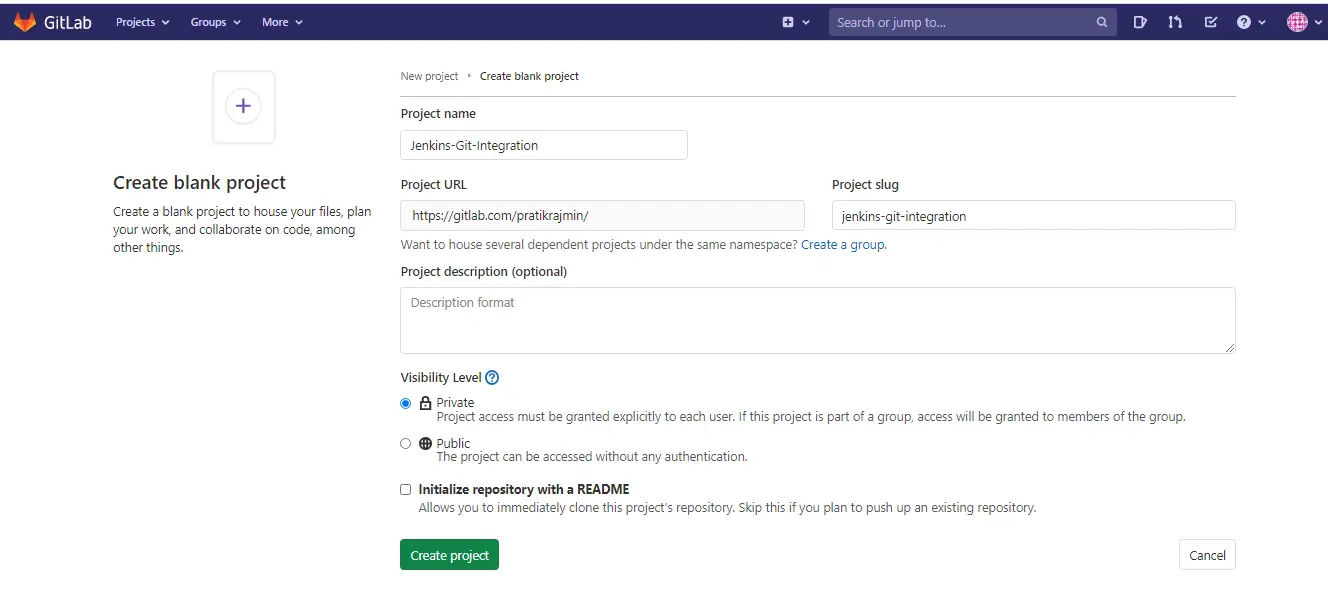
Step 12: Now create one New project in Gitlab
Step 13: Now install the git on our system
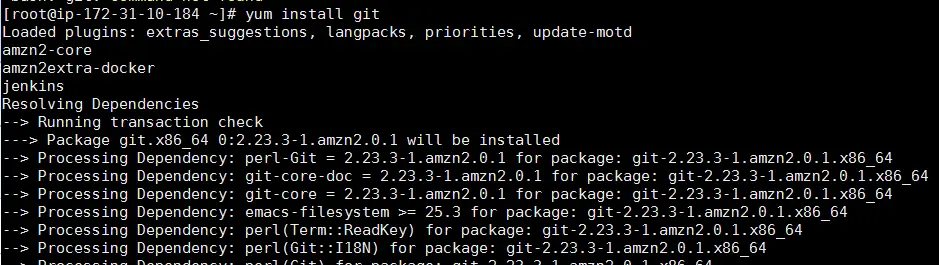
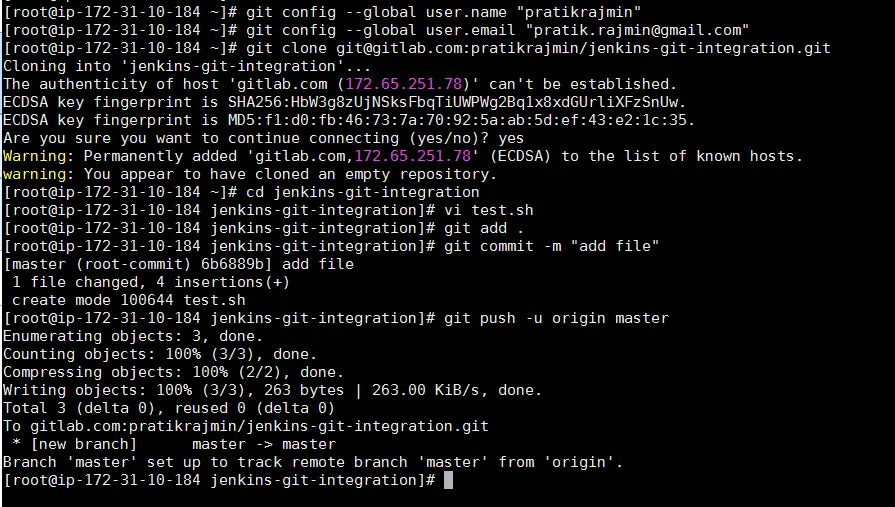
Step 14: Configure the git clone on our system
Git global setup
 git config --global user.name "something"
 git config --global user.email "something@example.com"
Create a new repository
 git clone git@gitlab.com:something/jenkins-git-integration.git
 cd jenkin-git-integration
 Touch test.sh
 git add test.sh
 git commit -m "add testfile"
 git push -u origin master
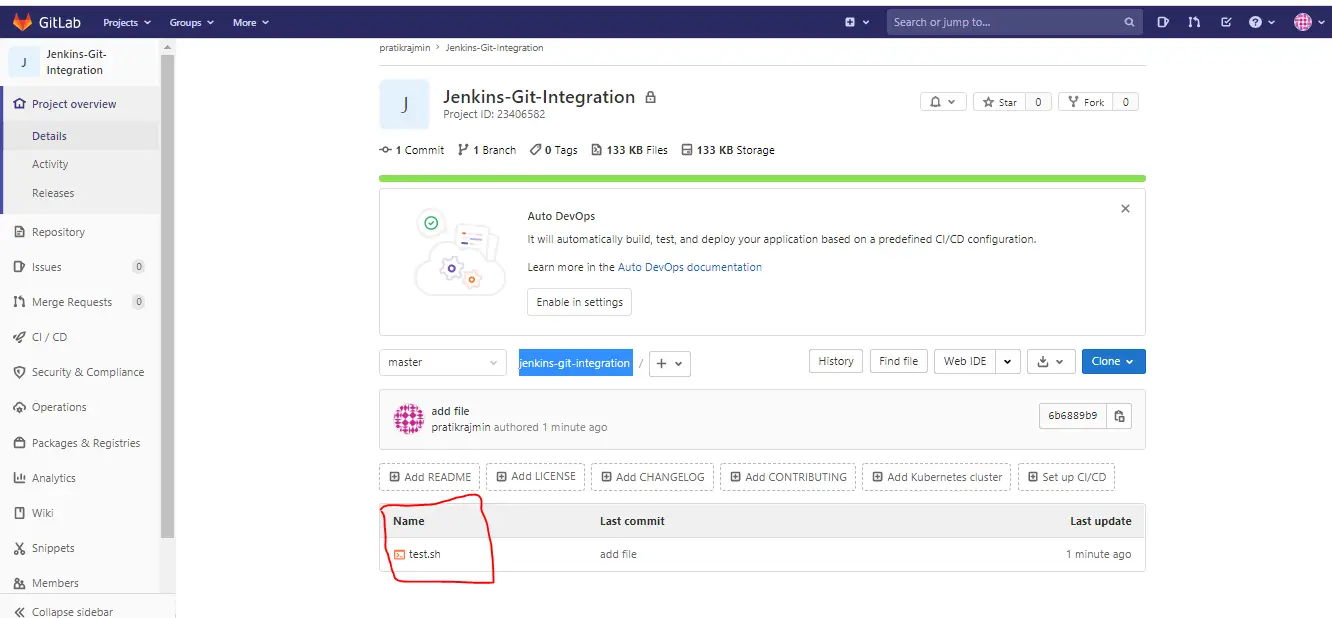
Step 15: Our file successfully push to the repository in GitLab
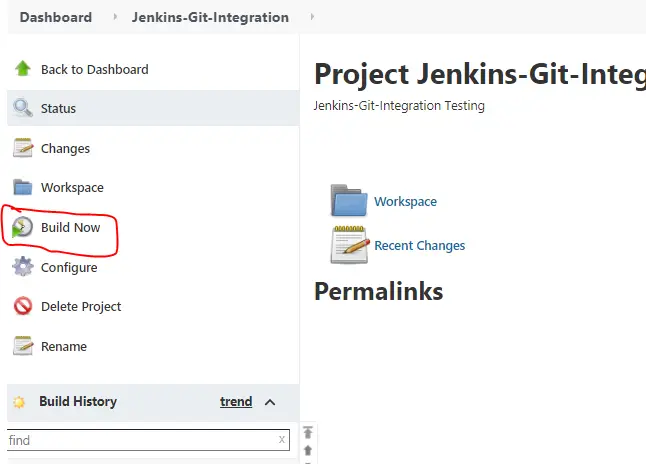
Step 16: Run the build now
Step 17: Run the build job and open the console output
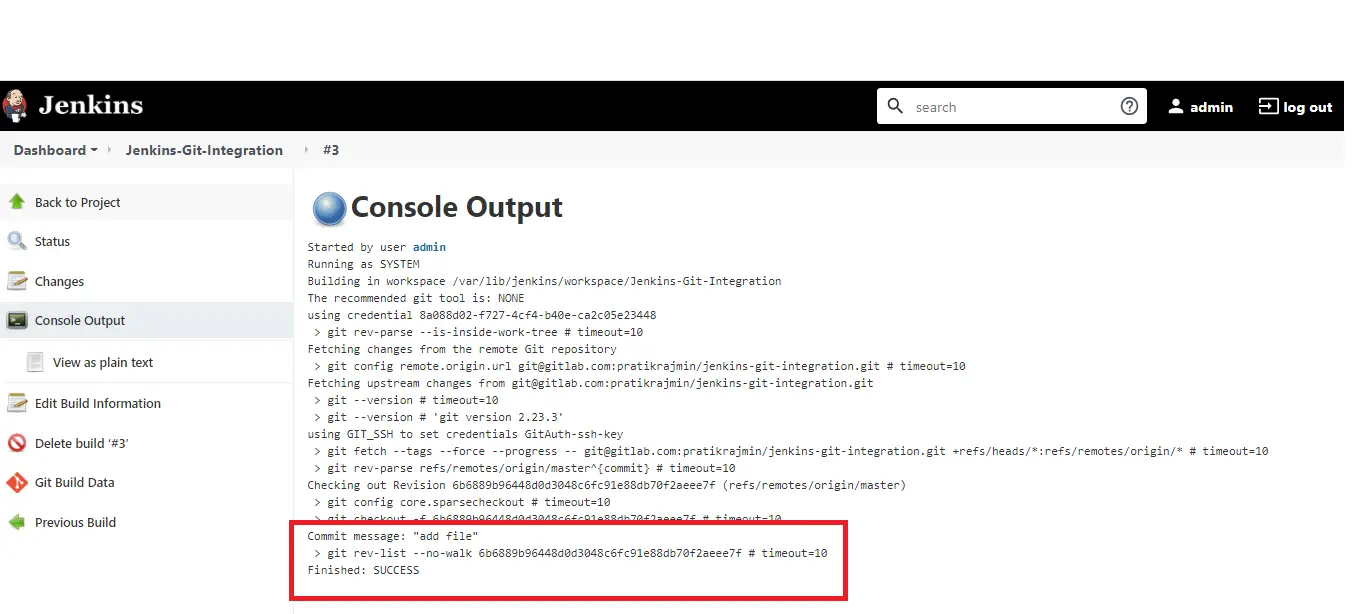
This is how you can successfully integrate Jenkins with GitLab.


Nirav Shah is the Director of Eternal Web Pvt Ltd, an AWS Advanced Consulting Partner and certified Odoo Partner based in the UK. With over a decade of experience in cloud computing, digital transformation, and ERP implementation, Nirav helps enterprises adopt the right technology to solve complex business challenges. He specialises in AWS infrastructure, Odoo ERP, and web development solutions for businesses across the UK and beyond.
Have queries about your project idea or concept? Please drop in your project details to discuss with our AWS Global Cloud Infrastructure service specialists and consultants.