
July 2, 2020 / Nirav Shah
Benefits
Step 1 Log in to AWS console
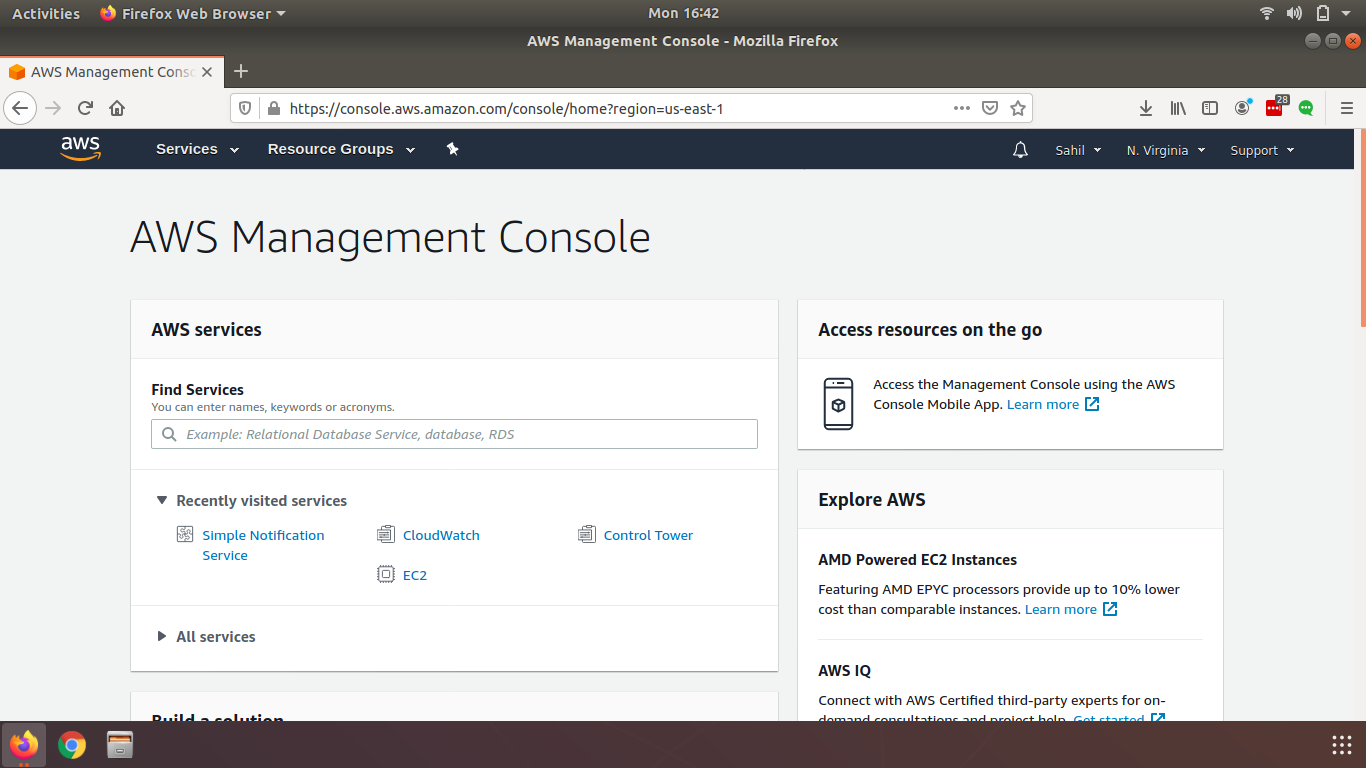
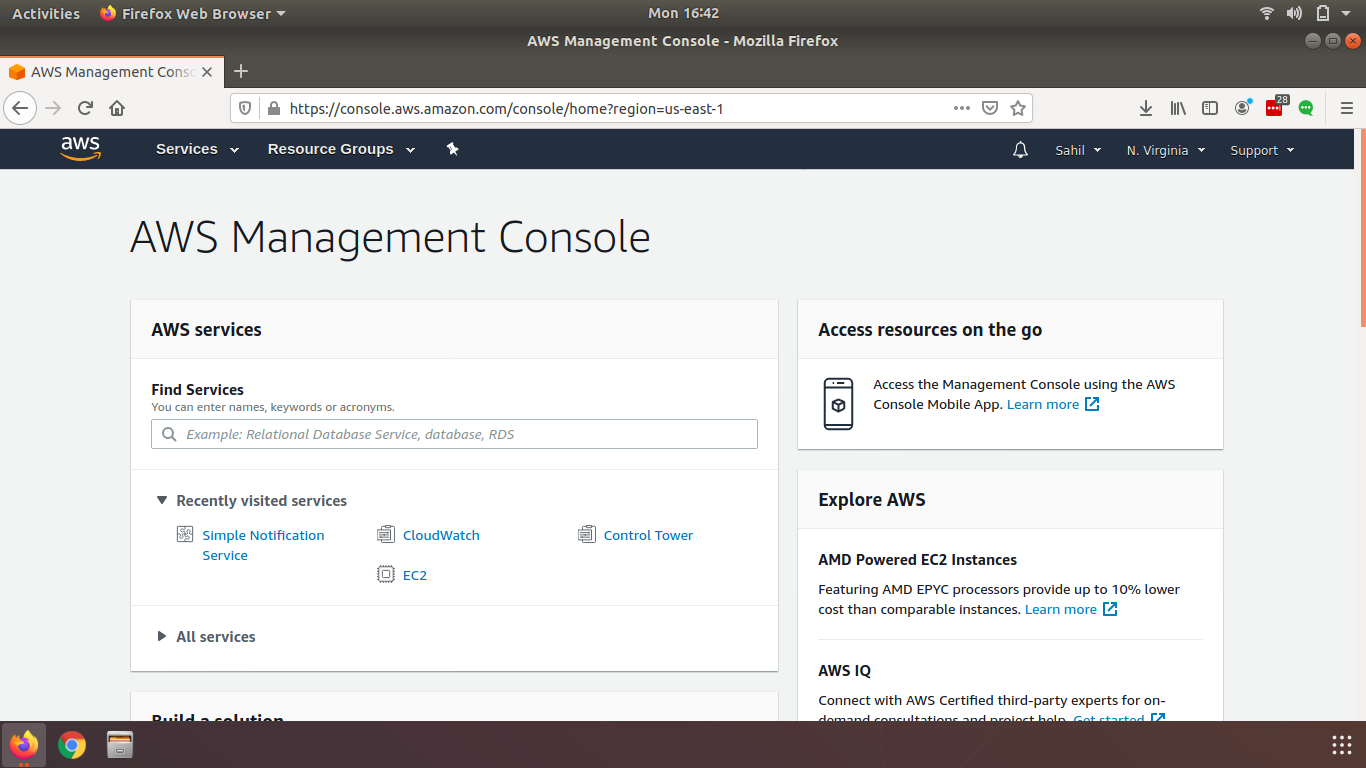
Step 2 Click on service on the top left corner
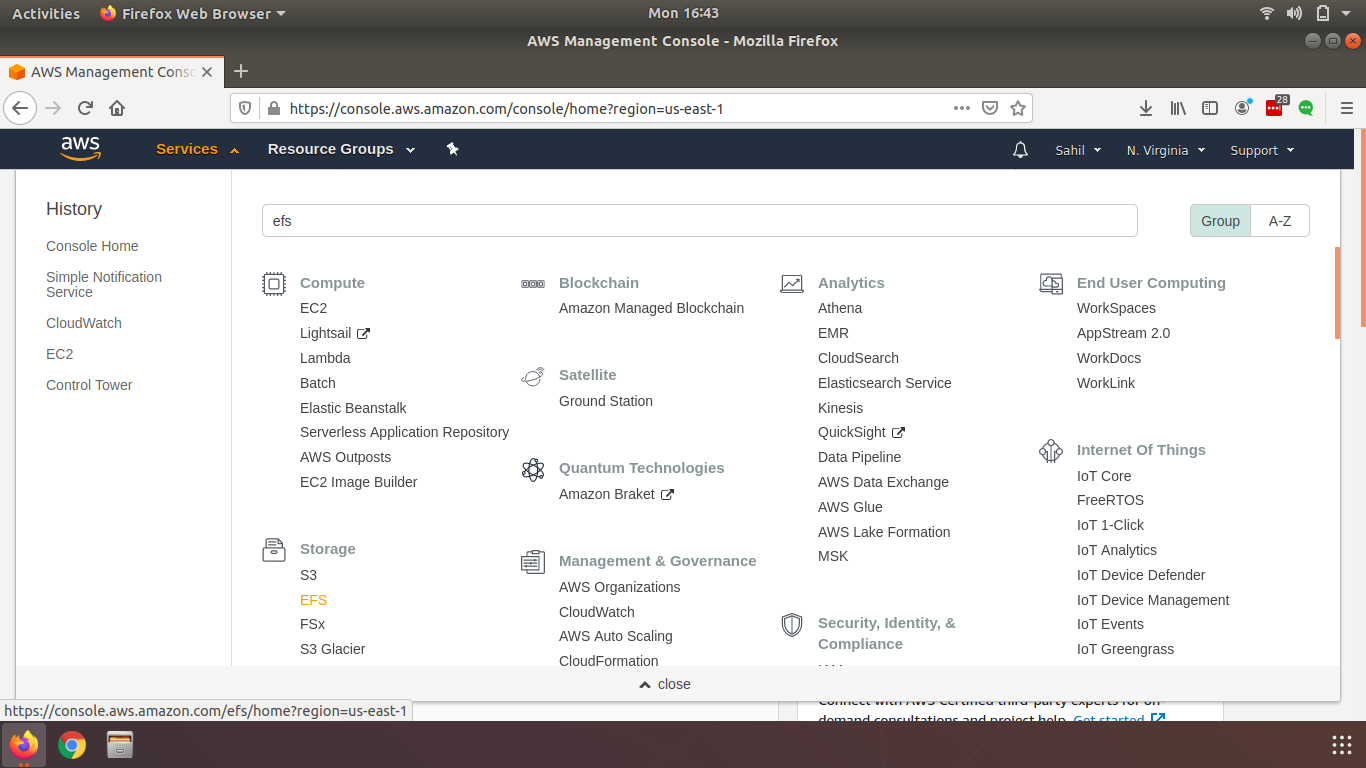
Step 3 Under storage click on EFS
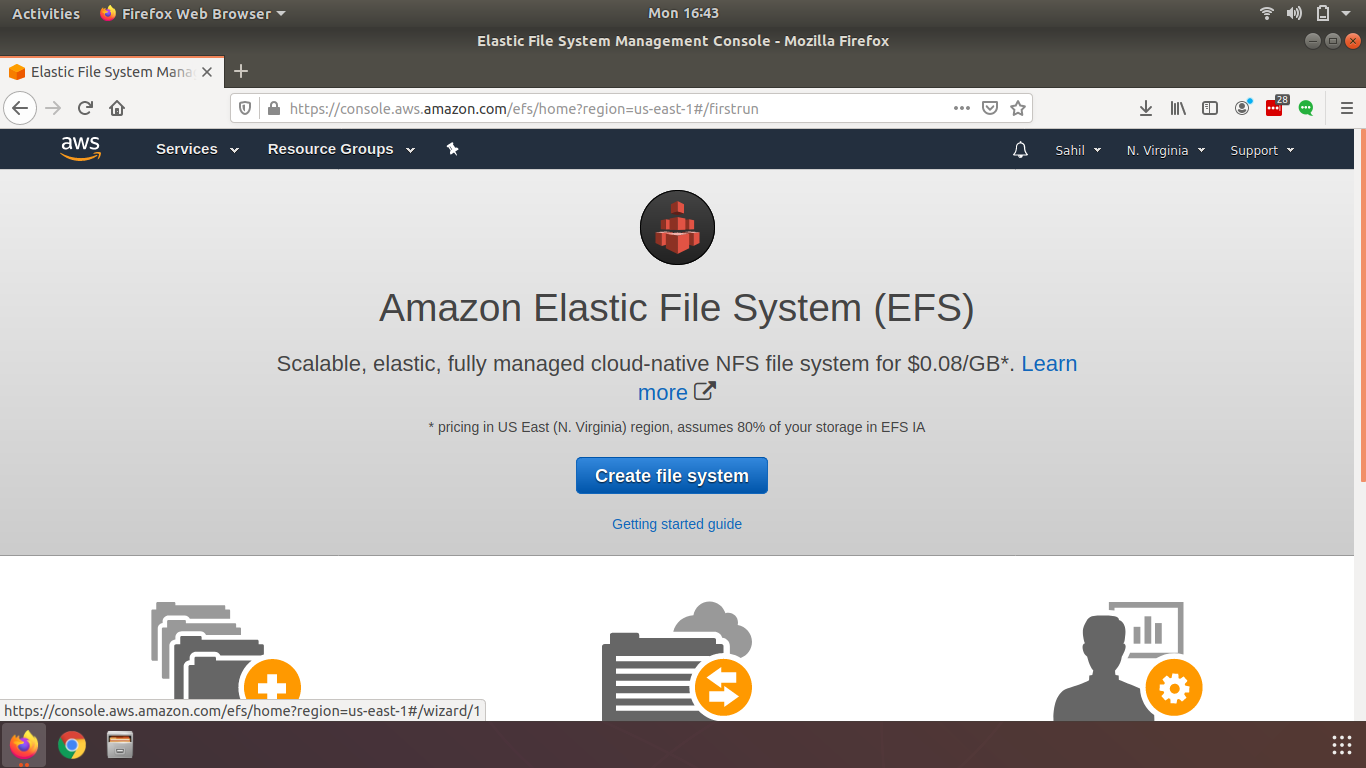
Step 4 Click on Create File System
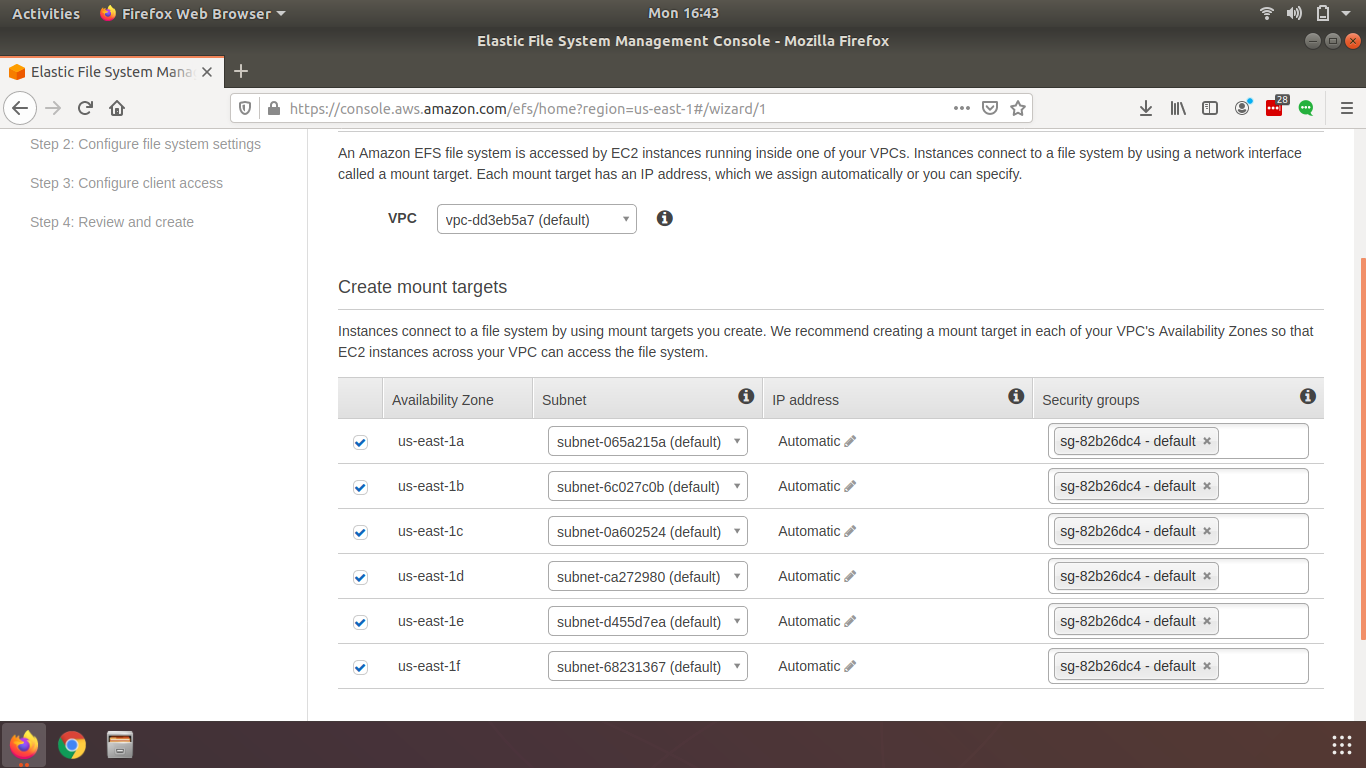
Step 5 Select the VPC and Subnets in which EFS must be available
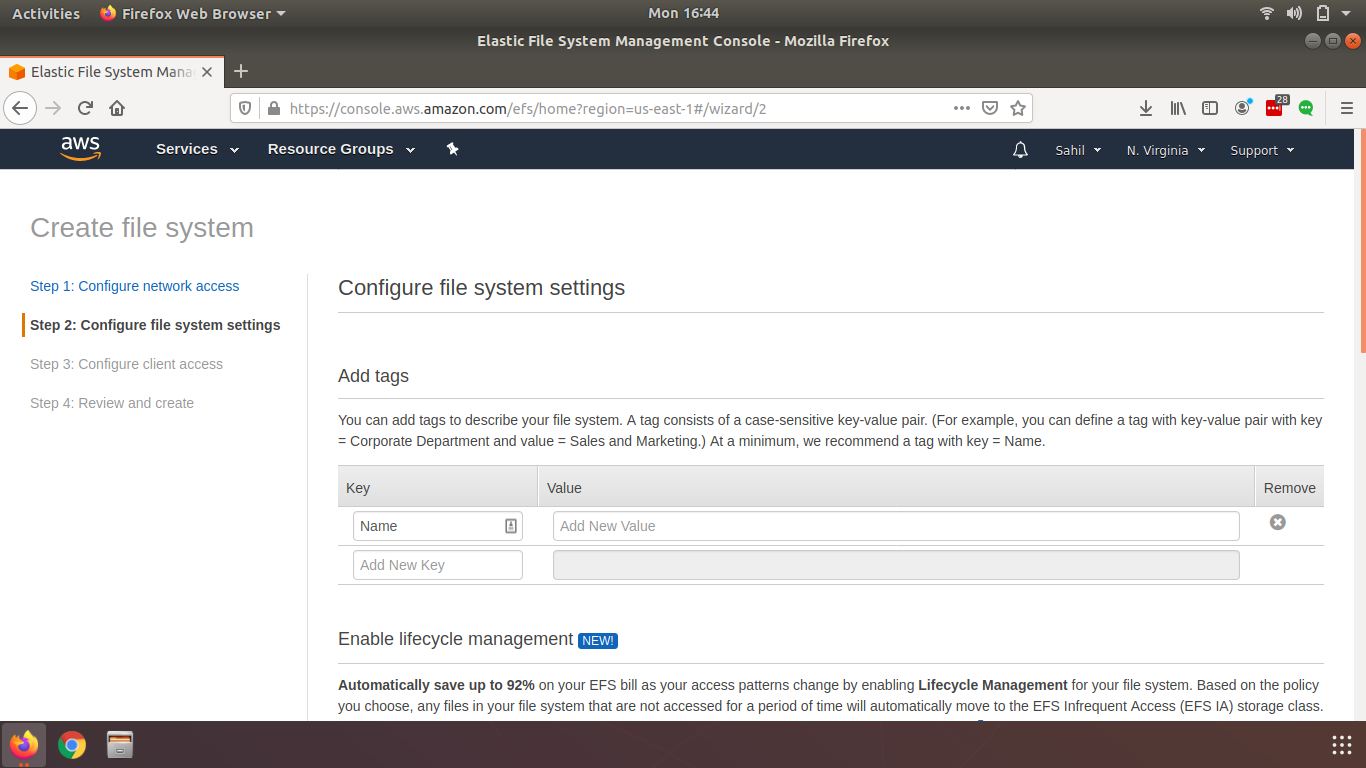
Step 6 Add a name tag to you EFS
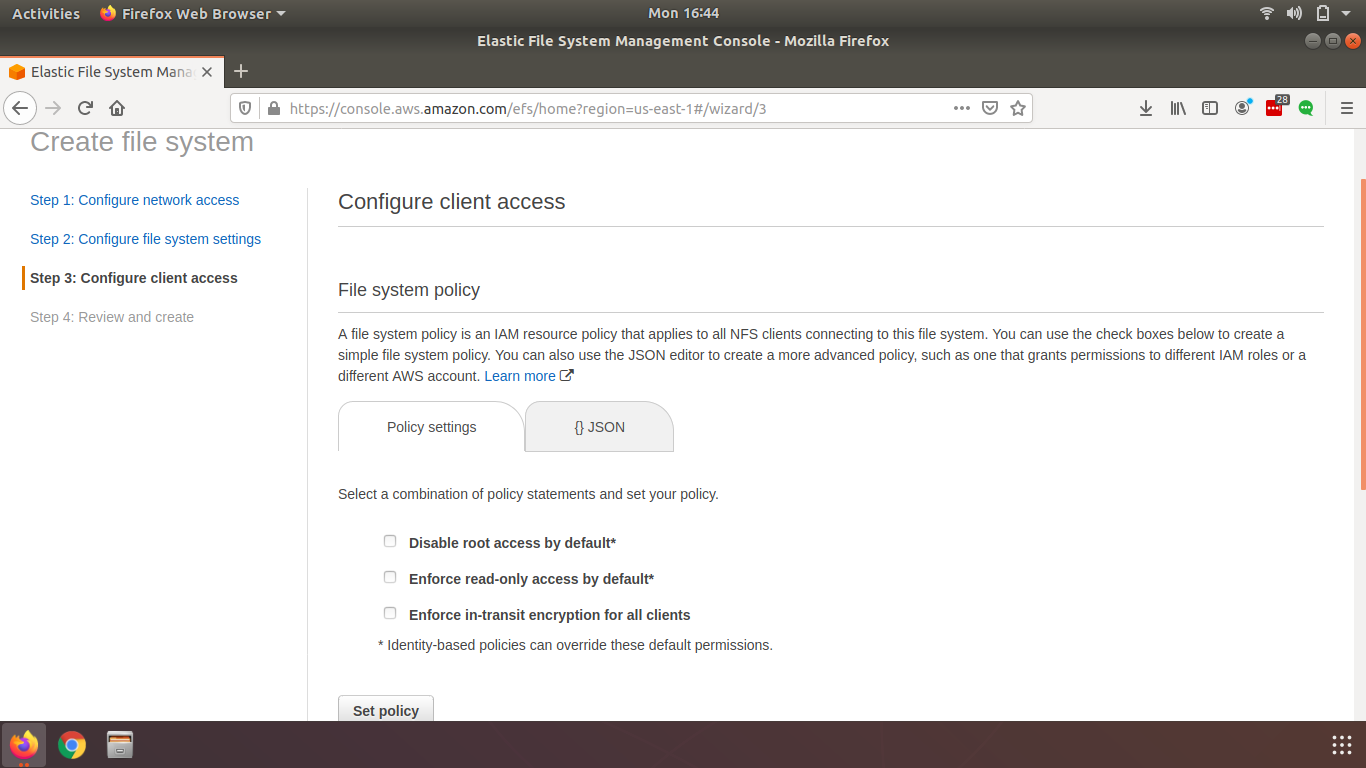
Step 7 Select the configuration that should be done to EFS
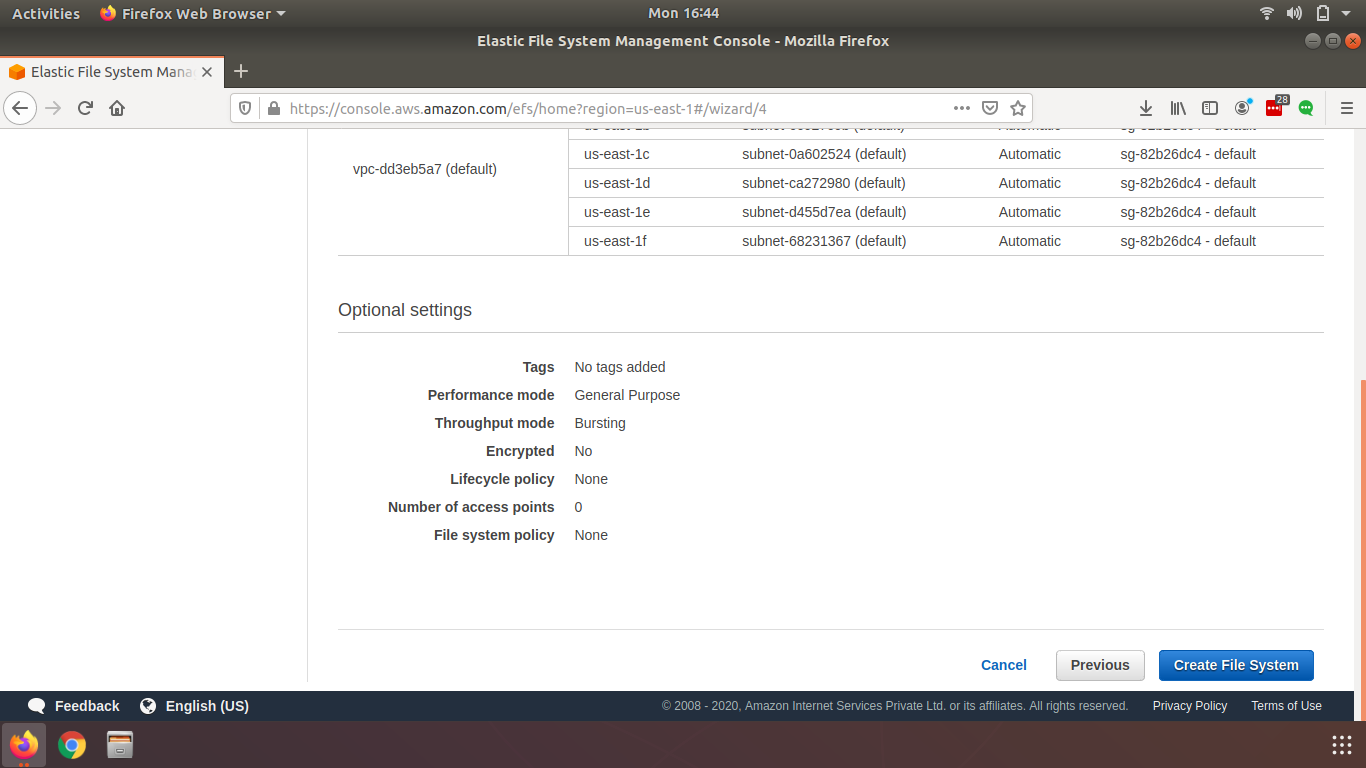
Step 8 Review the configuration and click on Create File System


Nirav Shah is the Director of Eternal Web Pvt Ltd, an AWS Advanced Consulting Partner and certified Odoo Partner based in the UK. With over a decade of experience in cloud computing, digital transformation, and ERP implementation, Nirav helps enterprises adopt the right technology to solve complex business challenges. He specialises in AWS infrastructure, Odoo ERP, and web development solutions for businesses across the UK and beyond.
Have queries about your project idea or concept? Please drop in your project details to discuss with our AWS Global Cloud Infrastructure service specialists and consultants.