
March 22, 2021 / Nirav Shah
AWS Certificate Manager is a service that allows you to provision, manage, and deploy public and private (SSL/TLS) certificates for use with AWS services and your internal resources.
There are 2 types of certificates in ACM
Step 1: Provisioning Certificate
In AWS search for the ACM service.
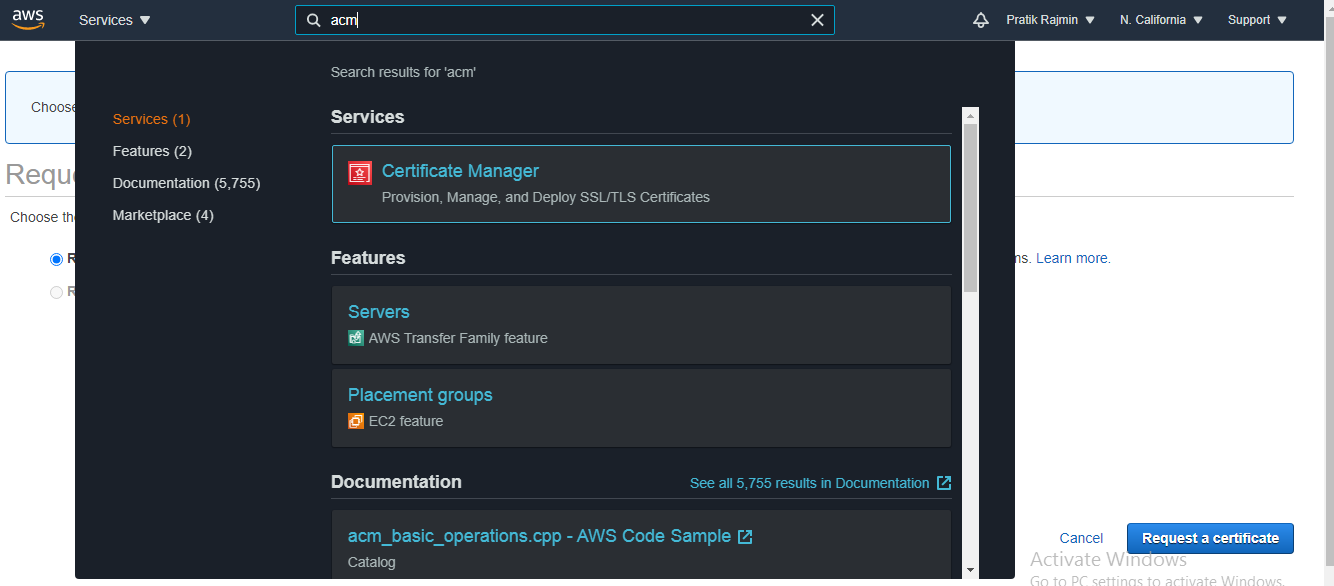
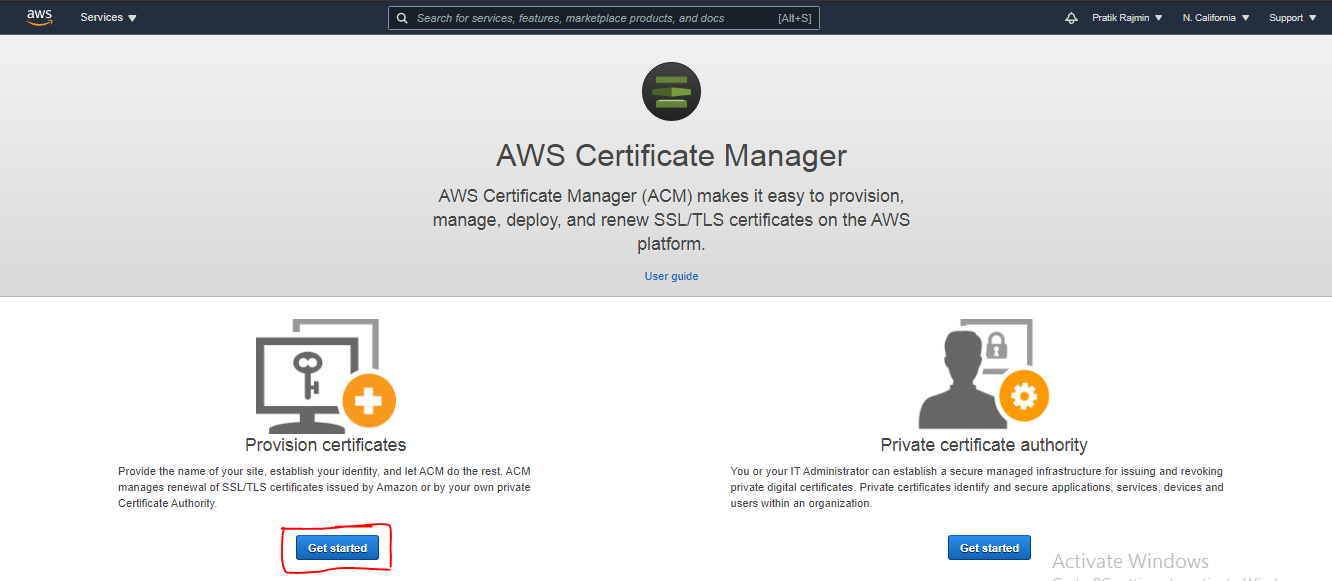
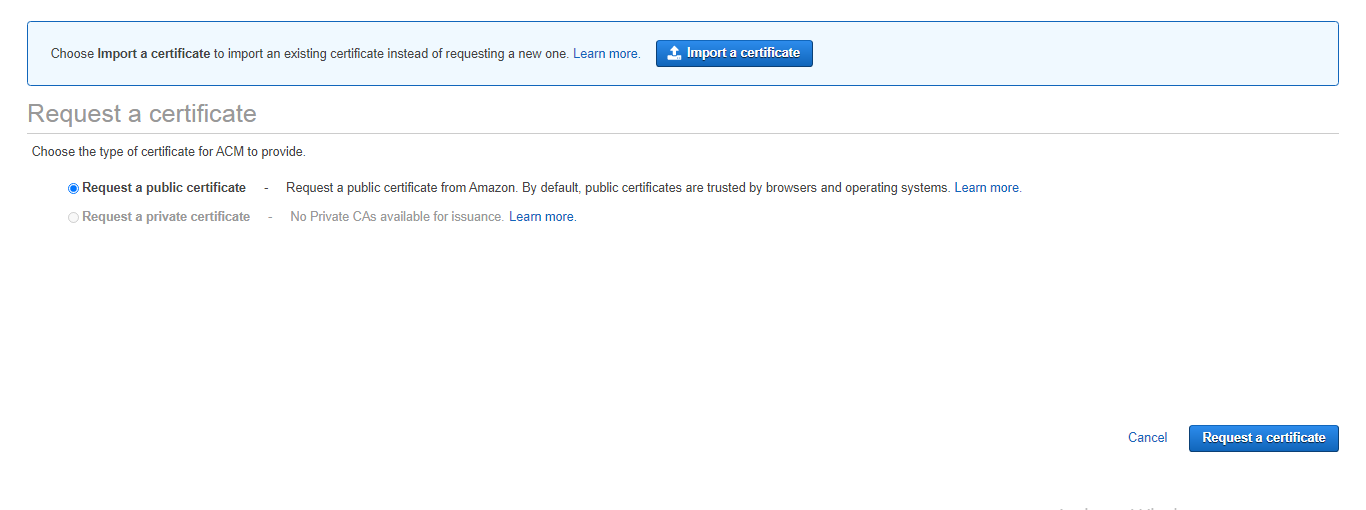
Step 2: Select Request a public certificate and click Request a certificate.
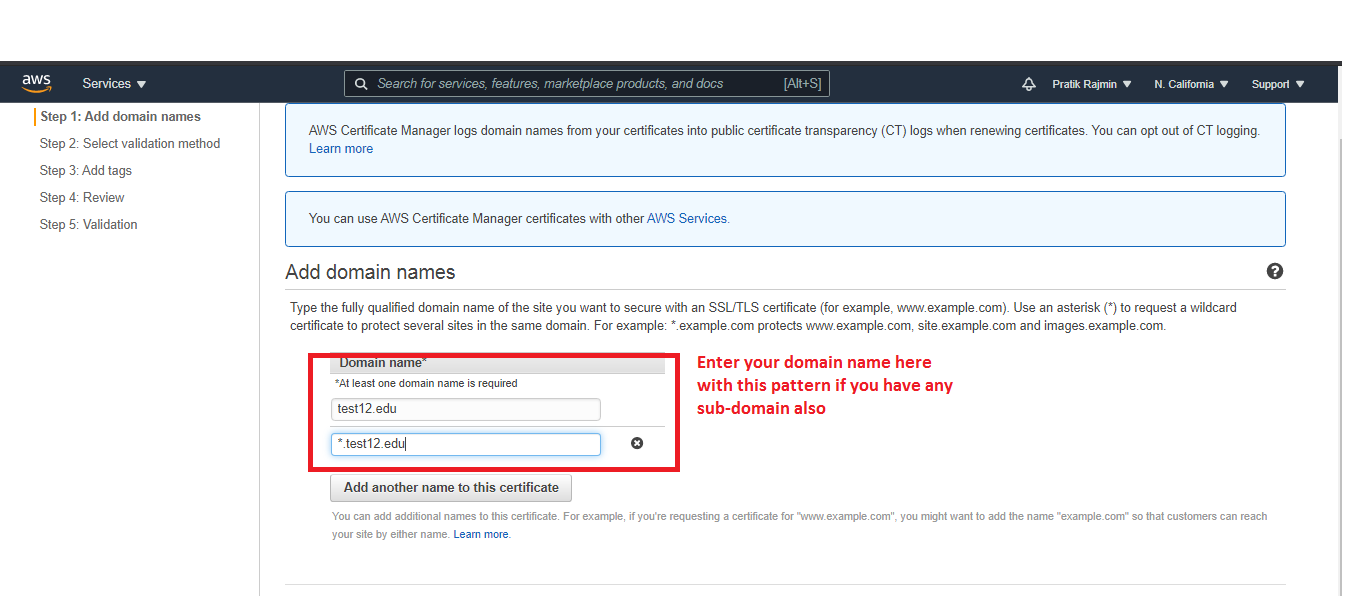
Step 3: Enter domain names
Step 4: Next is to select a validation method
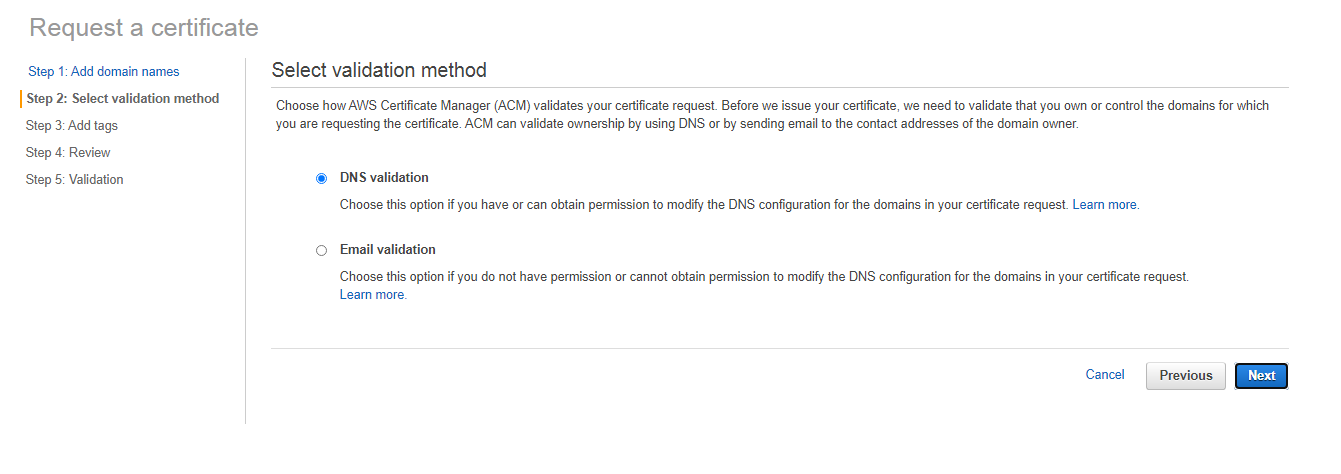
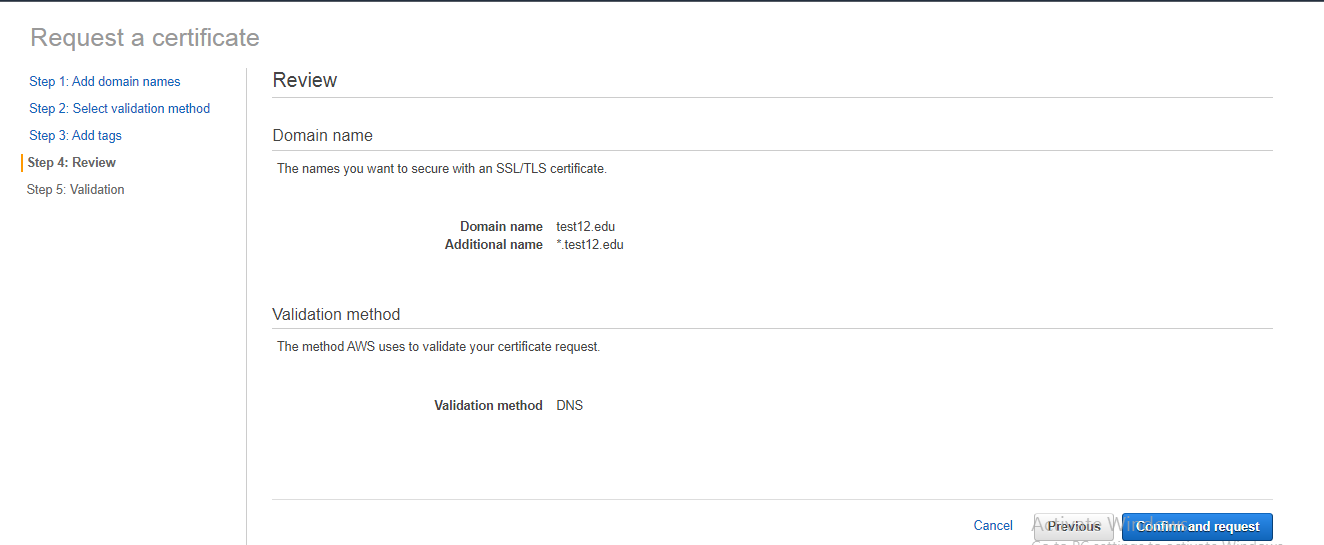
Step 5: Review the info and click confirm and request
Step 6: Validate the domain, expand the panel with the domain name and enter CNAME in our DNS configuration, Create a record in Route 53.
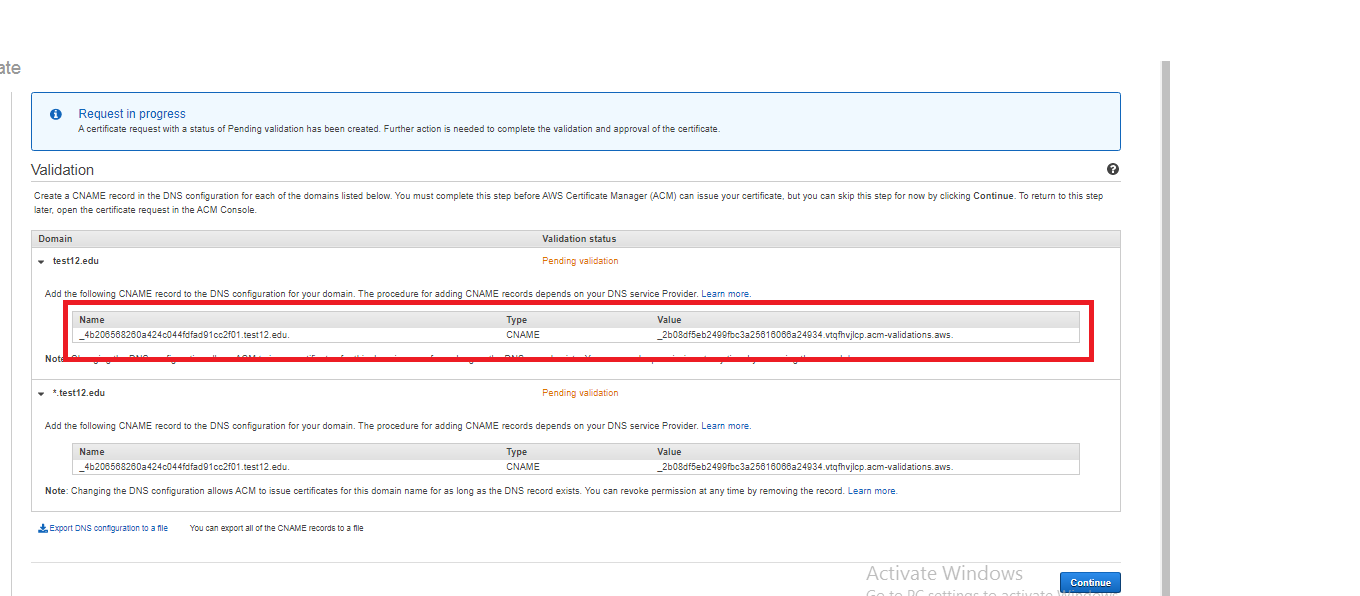
Once the record is created, click Refresh on and wait for the validation status to show a success message.
Receive the certificate age and the validity, along with details like certificate issue date, expiry date, and the number of days remaining for certificate expiry.
For more information and pricing details, you can visit the official AWS ACM page.
Also Read – How To Generate Certificate Signing Request (CSR) In EC2 Linux


Nirav Shah is the Director of Eternal Web Pvt Ltd, an AWS Advanced Consulting Partner and certified Odoo Partner based in the UK. With over a decade of experience in cloud computing, digital transformation, and ERP implementation, Nirav helps enterprises adopt the right technology to solve complex business challenges. He specialises in AWS infrastructure, Odoo ERP, and web development solutions for businesses across the UK and beyond.
Have queries about your project idea or concept? Please drop in your project details to discuss with our AWS Global Cloud Infrastructure service specialists and consultants.