January 8, 2021 / Nirav Shah
Monit is a small Open Source utility for managing and monitoring Unix based systems. Monit conducts automatic maintenance and repair and can execute meaningful causal actions in the situation of an error.
Monit has built-in a lightweight HTTP(S) interface you can use to browse the Monit server and check the status of all monitored services. From the web interface, you can start, stop and restart processes and disable or enable monitoring of services.
Updating System Packages
sudo apt-get update && sudo apt-get upgrade
Step 1: Install Monit
sudo apt install monit
Step 2: Start Monit Daemon
sudo monit
Step 3: Check Monit Status
sudo systemctl status monit
Step 4: Configuring Monit
sudo nano /etc/monit/monitrc
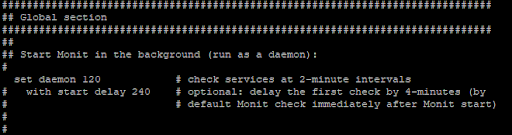
By default, the Monit check the services at an interval of 30 seconds as shown in the screenshot below. It can be changed by the below command.
set daemon 120
Monit provides a web interface for monitoring and managing the configured services. By default, Monit listens on port 2812.
sudo nano /etc/monit/monitrc
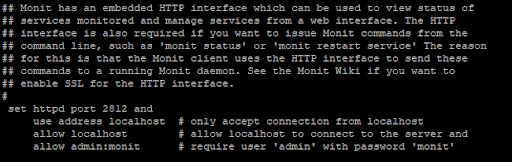
set httpd port 2812
use address 12.34.56.78  #replace 12.34.56.78 with your server's IP
allow localhost
allow admin:monit
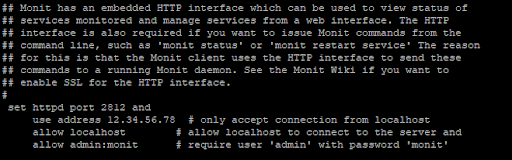
Ensure to save the file before closing.
Note: The username is admin and the password is monit. You can change its username and password if you want.
Reload the monit,
sudo systemctl restart monit
Next, enable Monit to start-up automatically on boot with the command below.
sudo systemctl enable monit
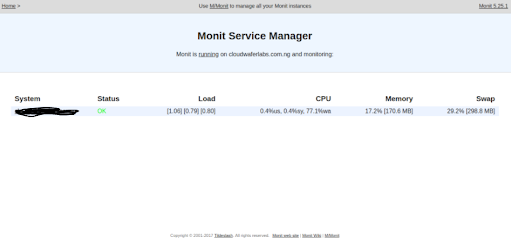
Open port 2812 in the security group for the incoming and outgoing traffic. You can visit your domain or server IP on port 2812


Nirav Shah is the Director of Eternal Web Pvt Ltd, an AWS Advanced Consulting Partner and certified Odoo Partner based in the UK. With over a decade of experience in cloud computing, digital transformation, and ERP implementation, Nirav helps enterprises adopt the right technology to solve complex business challenges. He specialises in AWS infrastructure, Odoo ERP, and web development solutions for businesses across the UK and beyond.
Have queries about your project idea or concept? Please drop in your project details to discuss with our AWS Global Cloud Infrastructure service specialists and consultants.